How to Ask Customers for Google Reviews Without Being Annoying
One personal request at the right moment, a link that opens the review box, and one reminder at most. Templates and timing from 524,000 recent Google reviews.
Ask once, in person or in a short message sent within a day of the visit, with a direct link that opens the review box, and make it clear that an honest review of any kind is welcome. That is how to ask for Google reviews without being annoying: one clear, personal request at the moment the customer is happiest, followed by at most one reminder, and never a script that sounds like a sales pitch.
The reason asking matters at all is that the customers who need no prompting are rarely your happy ones. In the 524,000 recent Google reviews we have collected across 130 local markets in the UK and Australia, a one-star review runs to a median of 74 words, while a five-star review runs to 27. Unhappy customers arrive ready to write. Satisfied ones usually need someone to ask.
Why asking works better than waiting
Most of your customers are content and silent. If you never ask, the reviews you do get skew towards the people with something to complain about, and your profile ends up describing your worst days rather than your typical one.
Asking corrects that. Of the recent reviews in our data, 87% are five-star and only 5% are one-star, and most of the five-star ones exist because a business made it easy to leave them. BrightLocal's 2026 Local Consumer Review Survey found that 78% of US consumers had been asked for a review in the previous year, and 65% had written one after being asked. A request is not an imposition; for most customers it is the nudge they were waiting for.
What makes a request annoying is not the asking itself. It is asking too often, asking at the wrong moment, asking in a way that pressures, or making the customer hunt for where to click.
How to ask for Google reviews in person
The in-person ask is the most effective and the least annoying, because it happens inside a conversation the customer is already enjoying. A few rules make it work.
- Pick the high point. Ask when the customer has just said something positive: thanked the vet for the care their dog received, admired the finished haircut, picked up the keys to a car that now runs properly.
- Make it personal and short. One sentence, in your own words, naming the person or team who helped.
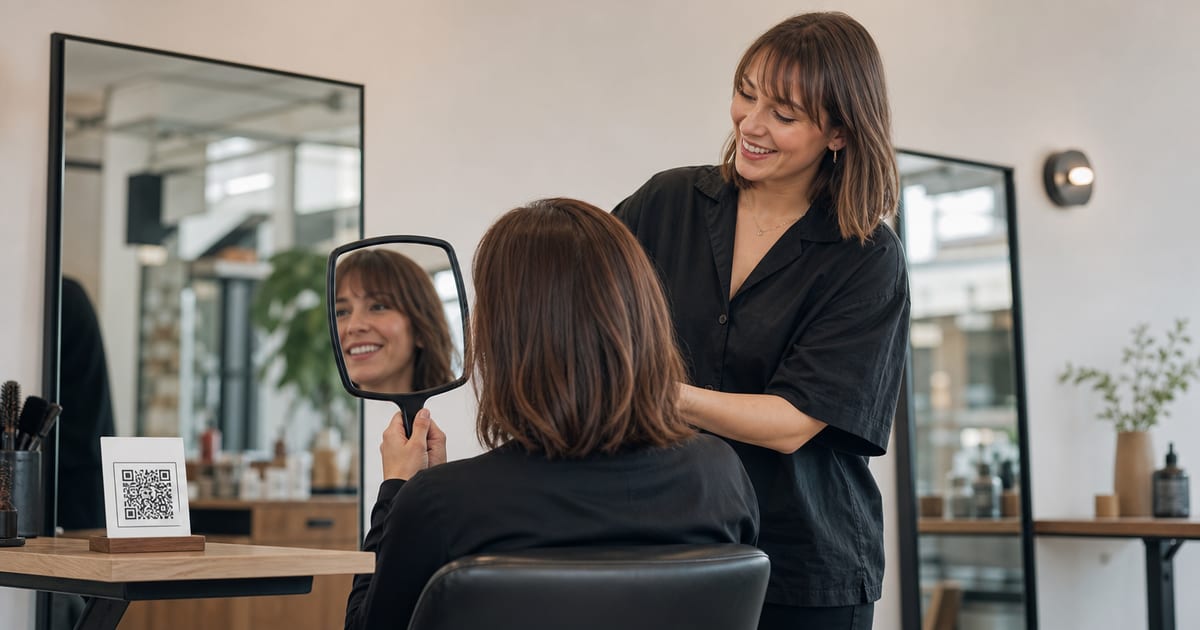
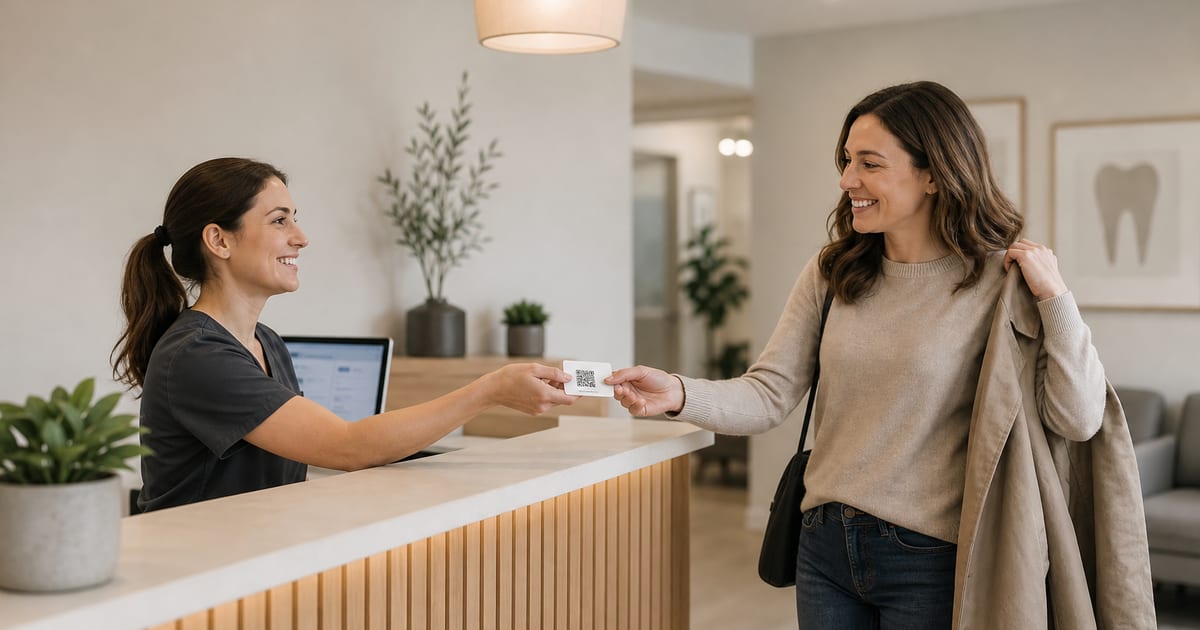
- Hand over the link, do not demand the review. Give a small card with a QR code, or offer to text the link. Never ask someone to write the review there and then while you watch. Google's policy on prohibited and restricted content bars businesses from pressuring customers to review while on the premises.
- Welcome any honest view. "It would really help us to hear how we did" is fine. "Could you give us five stars?" is not.
A line that works for most trades:
"I'm glad that went well. We're a small team and reviews really help people find us, so if you have a minute later, this card takes you straight to our Google page. Honest feedback of any kind is welcome."
How to ask by text or email
Most review requests now go by message, because that is where the link can be one tap away. Google's own guide to creating a review link or QR code walks you through it: open your Business Profile, choose Read reviews, then Get more reviews, and copy the link or save the QR code. Google suggests sharing it on receipts, in thank-you emails, at the end of a chat and on a printed sign.
A text message template
"Hi Sam, thanks for bringing Bella in today. If you have a moment, we'd be grateful for an honest review of your visit: [link]. Thank you, the team at [practice name]."
An email template
Subject: How did we do?
Hi Priya,
Thank you for choosing us for your kitchen rewiring. We hope everything is working as it should.
If you have two minutes, a short Google review helps other people in the area decide who to trust: [link]
Good or bad, we read every one.
Best wishes, Tom
Keep both short, personal and free of anything that sounds like a condition. No discount, no prize draw, no "reply if you were unhappy, review us if you were happy". Google's tips to get more reviews state plainly that offering incentives such as free or discounted goods in exchange for reviews is strictly prohibited.
Timing: when the ask lands best
The right moment is shortly after the customer has experienced the result, not before it. A dentist should ask after the appointment, not at the booking desk on the way in. A roofer should ask once the job has survived the first heavy rain, not on the day the scaffolding comes down.
There is also a pattern in when people actually write. In our UK data, Tuesday to Friday each account for about 15–16% of the week's reviews, and Sunday is the quietest day at 11%. Most reviews are posted during the working day.
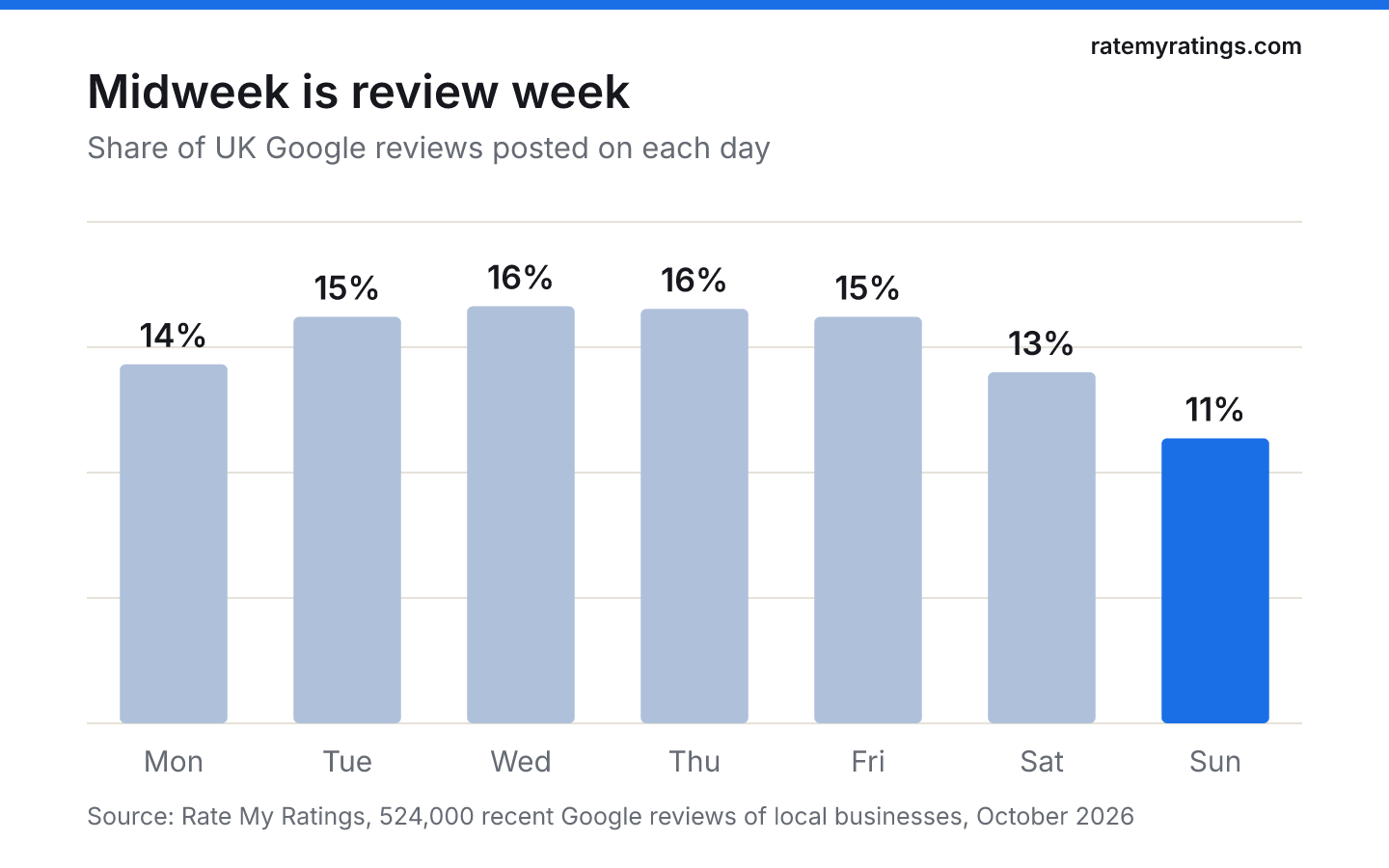
That suggests a practical rule: send a message soon after the visit, during the day, on a weekday when you can. We cover the hour-by-hour detail in our guide to the best time to ask for a review.
How often to ask, and when to stop
One request and one reminder is the ceiling. A reminder three to five days after the first message, worded as a gentle follow-up rather than a chase, catches people who meant to and forgot. After that, stop. A third message is the point at which a grateful customer starts to feel like a target.
Other habits that keep the asking polite:
- Never ask the same customer twice for the same visit. Keep a simple note of who has been asked.
- Do not ask regulars every time. A monthly client of a salon or a weekly gym member should be asked once, not after every session.
- Let staff ask, but never set them review quotas. Google's policy names asking staff to hit a set number of reviews as a form of rating manipulation.
- Answer the reviews you get. A visible reply shows the next customer that their words will be read. Our guide on responding to negative Google reviews covers the harder ones.
If you want the asking to happen without you thinking about it, build it into your process rather than your memory. Our article on getting more Google reviews without asking constantly sets out the systems that do this.
What makes a request feel pushy
Most annoying requests share the same faults. They are generic, so they read like marketing. They are long, so they feel like work. They are badly timed, so they arrive before the customer has seen the result. Or they hint at the rating the business wants.
The wording to avoid is a topic of its own, covered in what not to say when asking for a review, but the short list is: do not mention a star rating, do not offer anything in return, do not ask only the customers you think are happy, and do not suggest what they should write.
The last point matters legally as well as ethically. In the UK, the Digital Markets, Competition and Consumers Act 2024 bans fake reviews and reviews that conceal they were incentivised, with those provisions in force since 6 April 2025. In the US, the FTC's final rule on fake reviews bans incentives conditioned on a review expressing a particular sentiment. In Australia, the ACCC warns that suppressing negative reviews, or offering incentives only for positive ones, can mislead customers under Australian Consumer Law.
What to do with the reviews that follow
Asking well changes the shape of your profile over time. Instead of a handful of reviews written by people who had a bad day, you build a steady stream that reflects your typical customer. That stream is also a free source of research: what people praise is what you should protect, and what they complain about is what to fix first.
If you want to see how your reviews compare with every competitor in your area, a Rate My Ratings market report reads the whole local market's reviews and shows where you stand. For more ways to build the habit across a team, see the best ways to encourage customers to leave reviews.
The short version
- Ask once, personally, at the moment the customer is happiest, with a link that opens the review box.
- Follow up once at most, a few days later, then stop.
- Welcome honest reviews of any kind; never mention stars, never offer rewards, never ask only happy customers.
- Send messages during the day on weekdays, soon after the visit.
- Reply to what you receive, so the next customer knows their review will be read.
Frequently asked questions
- Is it OK to ask customers for Google reviews?
Yes. Google encourages businesses to ask customers for reviews and provides a review link and QR code for the purpose. What it forbids is offering incentives in exchange for reviews, pressuring customers while they are on your premises, and asking only the customers you expect to be happy. Ask everyone, honestly, and you are within the rules.
- How many times should you ask a customer for a review?
Once, with one reminder at most. Send the first request soon after the visit and a gentle follow-up three to five days later if they have not reviewed. A third message tends to feel like chasing, and it risks turning a satisfied customer into an irritated one. Regular customers should be asked once, not after every visit.
- What is the best way to send a Google review link?
A short, personal text message or email with the direct review link from your Business Profile works best, because the customer can leave a review in one tap. In person, a small card or sign with the QR code does the same job. Keep the message to two or three sentences and make clear that any honest feedback is welcome.
- Can I offer a discount for a Google review?
No. Google's policies strictly prohibit offering free or discounted goods or services in exchange for reviews, and reviews posted because of an incentive can be removed. In the UK, reviews that conceal they were incentivised are banned under the Digital Markets, Competition and Consumers Act 2024, and the US FTC rule bans incentives tied to positive reviews.

Rate My RatingsNewsletter
What reviews say about local markets, in your inbox.
New articles and findings from the blog, as they're published.
Check your inbox.
If this address isn't subscribed yet, we've sent it a link to confirm. Nothing is sent until you click it.
That didn't go through. Check the email address and try again.
Hold on a moment, then subscribe again.
Rate My RatingsNewsletter
What reviews say about local markets, in your inbox.
New articles and findings from the blog, as they're published.
Check your inbox.
If this address isn't subscribed yet, we've sent it a link to confirm. Nothing is sent until you click it.
That didn't go through. Check the email address and try again.
Hold on a moment, then subscribe again.