How to Get More Reviews on Google Without Asking Constantly
Build the request into what you already send, automate one follow-up per visit and let a QR code do the reminding. A one-afternoon setup plan.
To get more Google reviews without asking constantly, stop treating reviews as something you remember to request and make them part of what happens after every sale. Put your review link into the messages, receipts and invoices you already send, trigger one automatic follow-up after each visit, place a QR code where customers naturally pause, and reply to every review you receive. Each customer is asked once, by a system, and nobody on your team has to nag anyone.
The aim is a steady trickle rather than occasional bursts. Readers care about recent reviews far more than old ones: BrightLocal's 2026 Local Consumer Review Survey found that 74% of US consumers only care about reviews from the last three months. A system that produces a few reviews every week keeps your profile current in a way a once-a-year push never will.
Why "asking constantly" is the wrong model
When reviews depend on someone remembering to ask, two things happen. Busy weeks, which are exactly the weeks with the most happy customers, produce the fewest requests. And the requests that do go out tend to come in a rush after a slow month, with the same few loyal customers asked again and again.
A system fixes both. Every customer receives one request at the right moment, whether the week was quiet or frantic, and nobody is asked twice. That is less annoying for customers and less work for you.
The touchpoints you already have
Most businesses already send customers four or five messages per visit without thinking of them as review opportunities. Start by adding your direct review link to each one. Google's guide to creating a review link or QR code shows where to find it: open your Business Profile, choose Read reviews, then Get more reviews, and copy the link.
| Touchpoint | What to add |
|---|---|
| Booking or order confirmation | Nothing yet: it is too early to ask |
| Receipt or invoice | One line: "Happy with your visit? Tell others on Google" with the link or QR code |
| Aftercare or follow-up email | A short paragraph and the link |
| Email signature | "Read or leave a review on Google" |
| WhatsApp or chat sign-off | The link after the conversation is resolved |
| Website contact and thank-you pages | A review button beside your contact details |
None of these interrupts the customer. They sit where a satisfied customer will see them, and they do the asking for you.
Automate one follow-up after every visit
The single most effective system is an automatic message sent a few hours after a visit or a day after a job is finished. Most booking systems, practice management software, tills and CRMs can send one, and many customers do not mind a short, personal note.
Keep it to two or three sentences, use the customer's name, mention what you did for them and include the link. Set it to send once per customer per visit, and to skip regulars who have already reviewed. That one rule is what keeps the system from becoming "asking constantly".
A template you can load into most systems:
"Hi {first name}, thanks for choosing us for {service} today. If you have a minute, an honest Google review helps other people nearby find us: {review link}. Thank you, {business name}."
Send during the day if your software allows. In our data of 524,000 recent Google reviews, most UK reviews are posted between 10:00 and 18:00, with the busiest hour from 16:00 to 17:00.
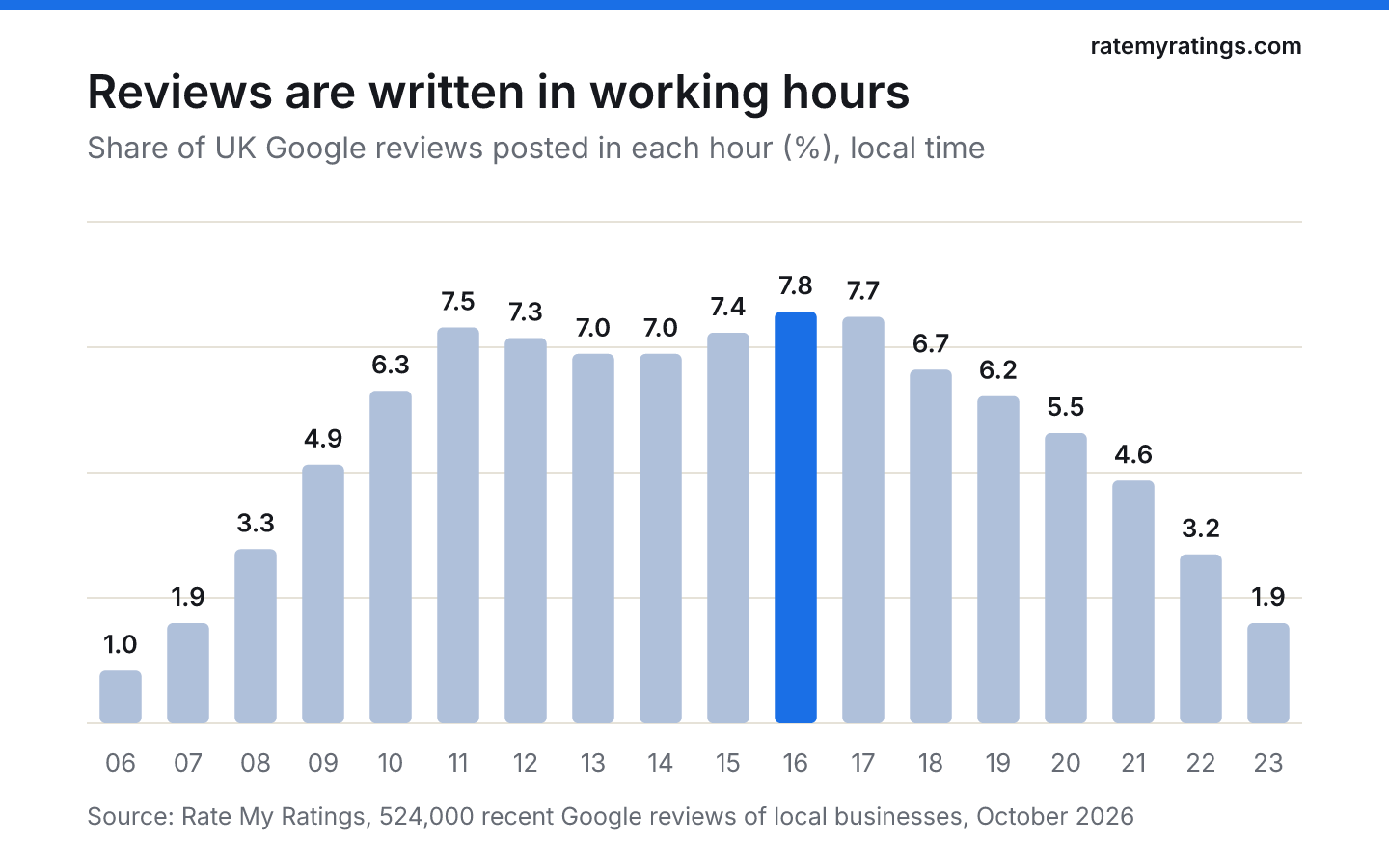
Our article on the best time to ask for a review explains how to time requests for different kinds of business.
Put a QR code where customers pause
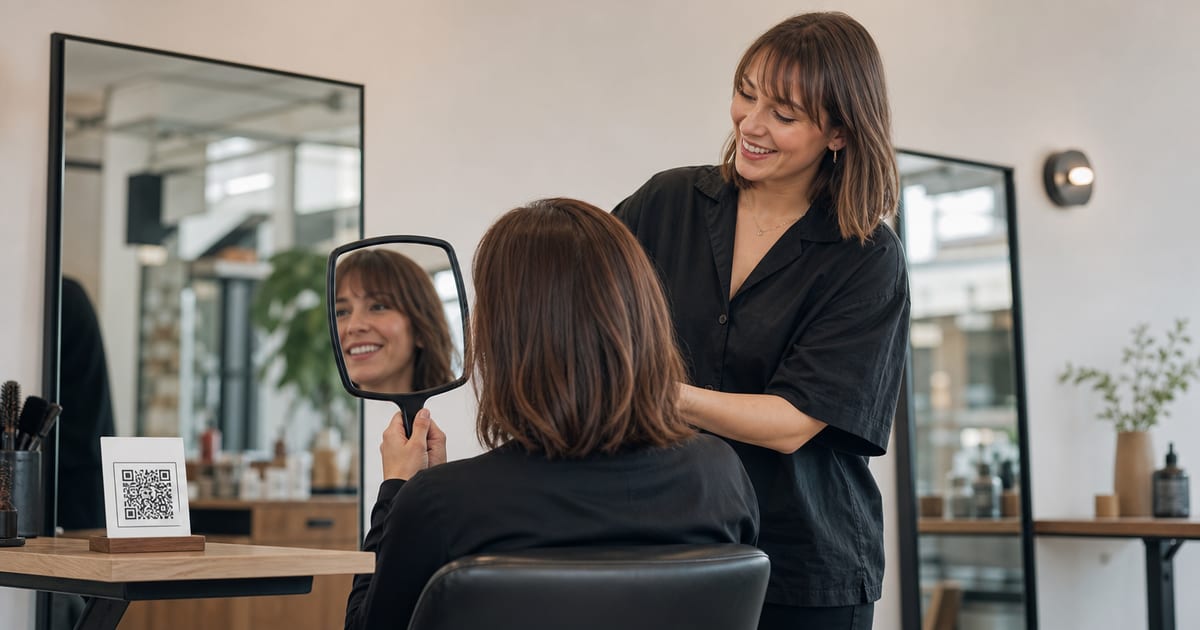
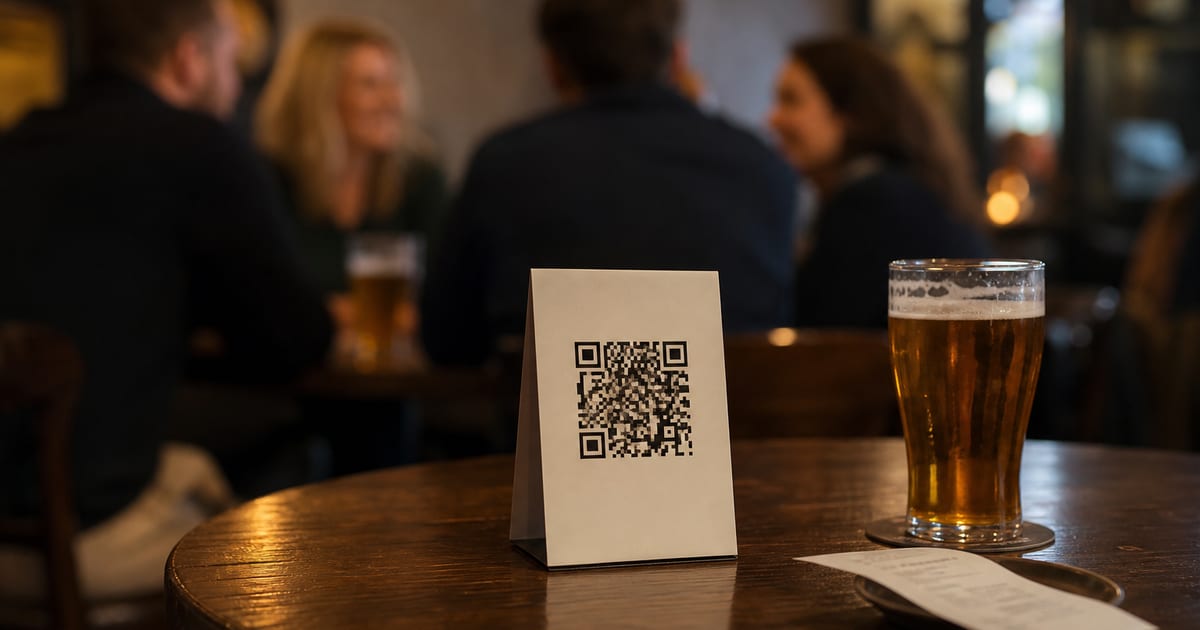
Customers will not review while they are rushing out of the door. They will when they are waiting: in a vet's waiting room after the appointment, at a restaurant table while the bill is being prepared, in the chair while hair dries, at the counter while a card payment goes through.
Place a small, tidy QR code at those pause points with a short line such as "Enjoyed your visit? We'd love an honest review." Do not put a tablet on the counter for customers to review on the spot under staff eyes. Google's content policy treats pressuring customers to review on the premises as rating manipulation.
Give the people who serve customers a light-touch role
Systems handle the reminding, but a warm word from a person still does most of the persuading. Agree one natural moment in each service when staff mention reviews once, for example while handing over a receipt with the QR code on it. Make it a habit, not a script, and never a target: Google's policy also prohibits asking staff to collect a set number of reviews.
For the words themselves, see our guide to asking for Google reviews without being annoying.
Reply, so reviewing feels worthwhile
Replies keep the flow going. When a customer sees that previous reviewers got a personal response, writing one feels less like shouting into the void. In our data, 53% of recent reviews have a reply from the business, and the median reply comes within about a day. Aim for the same: a short, specific reply to every review within a day or two.
Expect a trickle, with the odd spike
Once a system is running, reviews tend to arrive steadily with occasional busy weeks after a big event or a seasonal rush. That is normal. Two-thirds of the businesses whose full review history we hold had at least one week in which 10% or more of all their reviews arrived. Google does not penalise genuine reviews for arriving together; our article on Google review velocity looks at what does raise flags.
Track one number each month: how many new reviews you received. If it falls, check that the automatic message is still sending and that the QR codes are still on display. Those are the usual culprits.
How to get more Google reviews from the reviews you already have
Your existing reviews are also a tool. Mention them on your website, share a recent one on social media with the customer's permission, and say "find us on Google" wherever customers already see your name. Visible reviews make reviewing feel normal, which quietly encourages more.
More reviews also help you be found. Google's guide to improving your local ranking says that more reviews and positive ratings can help a business's local ranking. Our article on how many Google reviews you need to rank higher puts numbers on that by trade.
A one-afternoon setup plan
- Copy your review link and download your QR code from your Business Profile.
- Add the link to your invoice template, receipt footer, aftercare email and email signature.
- Switch on one automatic follow-up message in your booking or order software, sent once per visit.
- Print two or three small QR cards for the places customers wait.
- Agree with the team the single moment when reviews get mentioned.
- Block ten minutes a day to reply to new reviews.
After that, the system does the asking and you do the replying. If you would like to know how your review flow compares with every competitor in your area, a Rate My Ratings market report reads the whole local market and shows who is collecting reviews fastest and what their customers say. For more tactics, see the best ways to encourage customers to leave reviews.
The short version
- To get more Google reviews without asking constantly, build the request into receipts, invoices and follow-up messages.
- Automate one follow-up per visit, sent during the day, and never ask the same customer twice.
- Put QR codes where customers pause, not a tablet at the till.
- Reply to every review within a day or two to keep the flow going.
- Aim for a steady weekly trickle; recent reviews matter most to readers.
Frequently asked questions
- How can I get more Google reviews without asking?
Let your systems ask for you. Add your direct review link to receipts, invoices, aftercare emails and your email signature, switch on one automatic follow-up message after each visit, and place QR codes where customers wait. Each customer gets one easy invitation without anyone on your team having to remember or repeat the request.
- Is it allowed to send automatic review requests?
Yes, as long as every customer is invited, not only the ones you expect to be happy, and nothing is offered in return. Google's own help pages suggest sharing your review link in thank-you emails and on receipts. Send one request per visit and avoid repeated reminders, which customers find intrusive.
- How many Google reviews should a business get per month?
It depends on how many customers you serve. A busy restaurant can collect dozens a month, while a roofer finishing a few jobs a week might gain two or three. Focus on a steady flow of recent reviews rather than a target: most consumers pay most attention to reviews from the last few months.
- Where should I put my Google review QR code?
Where customers naturally pause after a good experience: the waiting room, the table while the bill is prepared, the counter during payment, or printed on the receipt or invoice. Avoid asking customers to review on a tablet at the till while staff watch, which Google's policy treats as pressure.

Rate My RatingsNewsletter
What reviews say about local markets, in your inbox.
New articles and findings from the blog, as they're published.
Check your inbox.
If this address isn't subscribed yet, we've sent it a link to confirm. Nothing is sent until you click it.
That didn't go through. Check the email address and try again.
Hold on a moment, then subscribe again.
Rate My RatingsNewsletter
What reviews say about local markets, in your inbox.
New articles and findings from the blog, as they're published.
Check your inbox.
If this address isn't subscribed yet, we've sent it a link to confirm. Nothing is sent until you click it.
That didn't go through. Check the email address and try again.
Hold on a moment, then subscribe again.