How Does Google Determine Which Reviews Show First?
Google shows reviews by Most relevant unless the reader changes it, and it does not publish the formula. What we can see, what our data on half a million reviews suggests, and what it means for your profile.
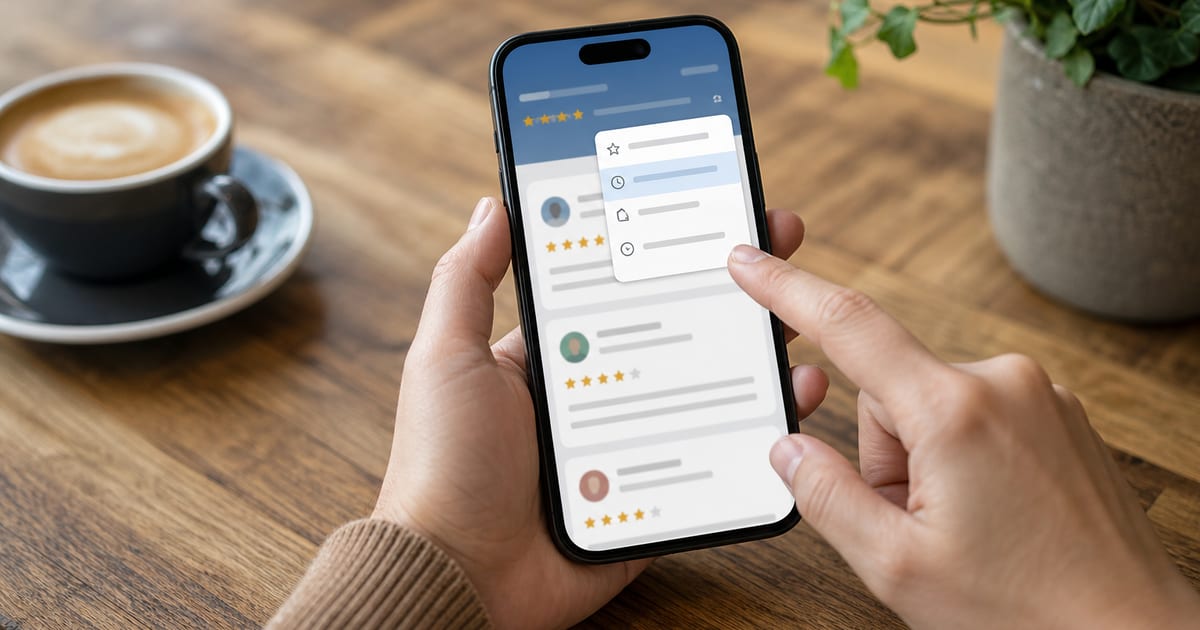
When someone opens your Google Business Profile, Google shows reviews in Most relevant order unless they change it. Google does not publish exactly how it sorts reviews, but the reviews that rise to the top tend to be detailed, recent enough to matter, written by established reviewers, and useful to the person searching. Readers can switch to Newest, Highest or Lowest in one tap, and many do.
So the honest answer to how Google sorts reviews is partly known and partly inferred. This guide separates the two, adds what we see in 524,000 recent Google reviews of local businesses, and explains what it means for the first impression your profile makes.
What readers actually see
On a Business Profile, in Google Search or Google Maps, the review panel usually shows:
- your average rating and total count at the top;
- a set of topic chips, short phrases pulled from review text, that filter reviews mentioning them;
- the reviews themselves, in Most relevant order by default;
- a sort control with Most relevant, Newest, Highest and Lowest.
Business owners cannot pin, reorder or hide any of this. The only levers are the reviews customers write and the replies the business posts.
How Google sorts reviews by default: what Most relevant means
Google has never published the formula behind Most relevant, and it changes over time. What Google has said publicly is about moderation, not ranking: in its post on how reviews on Google Maps work, it describes automated systems checking each review before it is published and monitoring patterns afterwards.
From watching thousands of profiles and the reviews behind them, these are the signals that appear to push a review up the default order:
| Signal | Why it plausibly matters |
|---|---|
| Length and detail | A specific account of a visit is more useful to a reader than "Great!" |
| Photos | Visual evidence of the premises, the work or the product |
| Recency | Older reviews describe a business that may have changed |
| Reviewer history | Established reviewers, such as Local Guides, are harder to fake |
| Helpful votes | Other readers found the review useful |
| Match to the search | Reviews mentioning what the reader searched for |
Treat this as an informed reading, not a specification. No outside party knows the weights.
The length effect, in our data
Our data cannot see Google's ranking, but it can see one of the signals readers use: helpful votes, shown as likes on a review. They are rare. Only about 2% of recent reviews have even one. But longer reviews earn them far more often: 1.3% of reviews under 20 words have a like, against 3.0% at 51 to 100 words and 5.7% at more than 200 words. Star-only ratings with no text almost never get one.
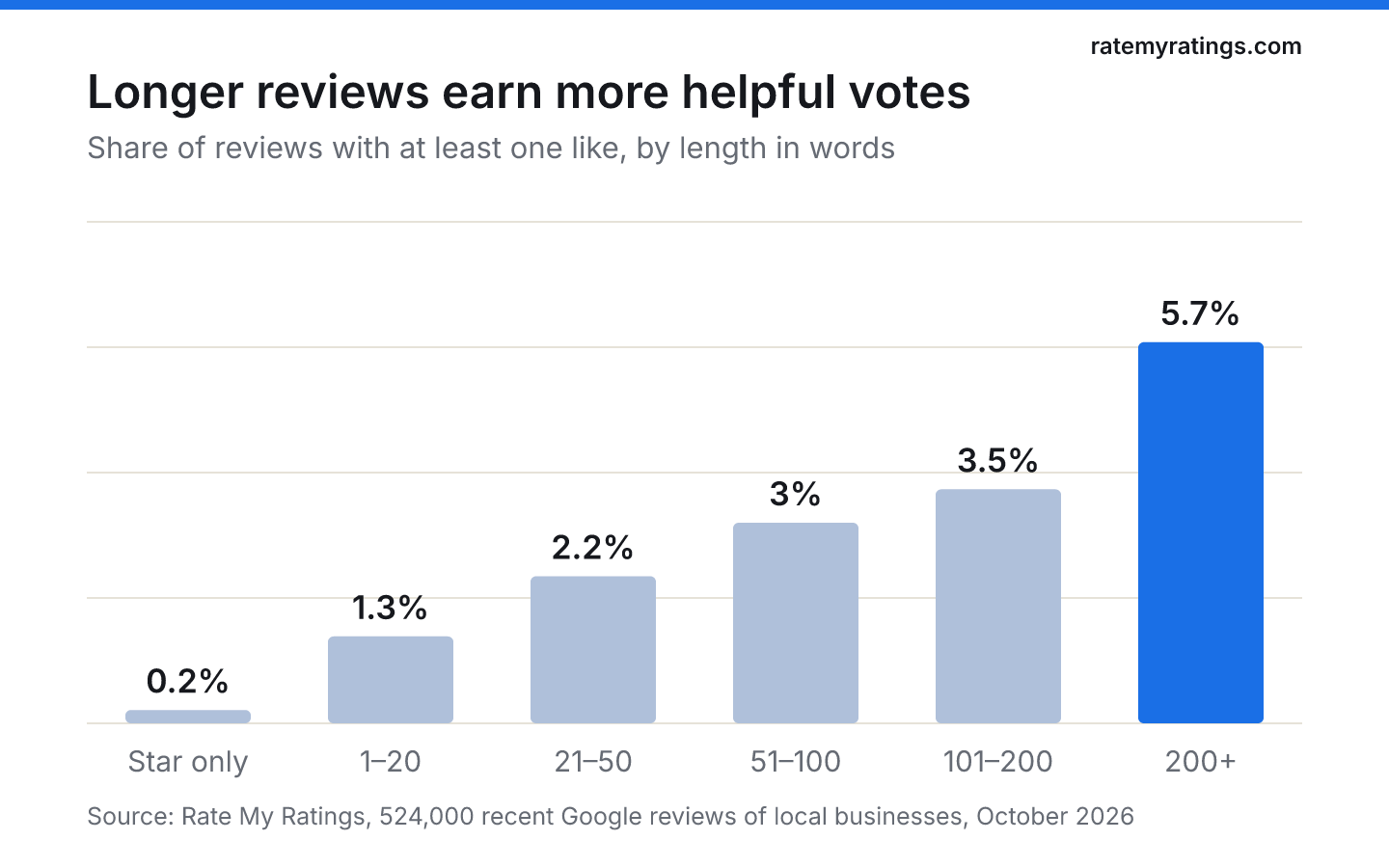
Readers reward detail, and it is reasonable to expect a relevance ranking to do the same.
Why negative reviews often sit near the top
Here is the uncomfortable consequence. Unhappy customers write much longer reviews. In our data the median one-star review is 74 words, against 27 for a five-star review. If detail helps a review rise in Most relevant, a long, specific complaint will often outrank a dozen short "Brilliant service" reviews, even when the average rating is high.
That is not Google being unfair. A detailed critical review genuinely helps readers decide. But it means:
- The first three reviews a reader sees may not reflect your average. A 4.8 business can open with a two-star story.
- Your reply is part of the first impression. A calm, specific reply under that review is read by everyone who sees it. Our guide on how to respond to negative Google reviews covers how to write one.
- Short praise does less work than detailed praise. Five-star reviews that describe what happened are more useful to readers and more likely to be shown.
The other sort options, and who uses them
Newest shows the latest reviews first. Recency matters to readers: BrightLocal's 2026 Local Consumer Review Survey found 74% of consumers look for reviews written in the last three months. If your newest review is from last year, that is what a careful reader notices. One quirk: Google's help page on reviews notes that an edited review shows the date of its latest edit, so an old review updated by its author can reappear among the newest.
Lowest shows one-star reviews first. This is the sort cautious buyers use, especially for high-stakes services: a vet, a dentist, a builder, a wedding venue. Assume your most important prospective customers will read your worst reviews and your replies to them.
Highest is the least used and the least informative.
Not everyone sees the same order
Because relevance depends partly on what the reader searched for, two people can open the same profile and see a different first page of reviews. Someone who searched "emergency vet" may see reviews mentioning out-of-hours care first; someone who searched "puppy vaccinations" may not. Language plays a part too: in our data, 15% of reviews were written in a language other than English, and Google offers readers translations, so a review written in Polish or Turkish can still be shown to an English-speaking reader. When you check your own profile, look at it signed out, on a phone, after a few different searches, rather than trusting the single view you see when signed in as the owner.
Topic chips: the filters you do not control
The short phrases above the reviews (for example "appointment", "price" or "reception") are drawn from what reviewers write. A reader tapping "price" sees every review mentioning it. If many of your reviews mention a problem, it can become a chip that invites readers to look at it.
In our data, the themes that dominate one- and two-star reviews are price, fees or quotes (25% of them), communication (22%), booking and cancellations (22%) and waiting (18%). Fixing the process behind a recurring complaint does more for this panel than any reply. Our guide on how to use customer reviews to improve your business shows how to find those patterns.
Review order is not the same as local ranking
Two different questions often get mixed up: which reviews show first on your profile, and where your profile ranks in local results. Google's guidance on local ranking says results depend on relevance, distance and prominence, and that more reviews and positive ratings can help a business's prominence. It also says there is no way to request or pay for a better local ranking.
How many reviews it takes to compete depends heavily on your category and area. Our guide on how many Google reviews you need to rank looks at the numbers across 46,800 local businesses.
What you can do to shape what readers see first
You cannot reorder reviews, but you can influence the mix that Google chooses from:
- Ask for detail, not stars. "Would you mind mentioning what we helped with?" produces reviews that are more useful and more likely to be shown. Our guide on how to encourage customers to leave reviews has wording that works.
- Keep reviews coming steadily. A steady flow keeps the Newest view fresh and gives Most relevant recent material to choose from.
- Invite photos where they make sense. Only 8.5% of the reviews we analysed include photos, so a few good ones stand out. Our guide on Google video reviews covers what visual reviews do and do not achieve.
- Reply to the reviews readers will see first, especially long critical ones.
- Never try to game it. Incentivised reviews, staff reviews and review swaps break Google's policies and, in the UK, consumer law.
If you want to see what your competitors' reviews say about them, theme by theme, a Rate My Ratings market report reads the public reviews of every business in your category and area.
The short version
Google sorts reviews by Most relevant by default and does not publish the formula. Detailed, recent, useful reviews from established reviewers tend to rise, which means long negative reviews often appear near the top. Readers can switch to Newest or Lowest, and the careful ones do. You cannot reorder reviews, so shape what is shown by asking for detailed feedback, keeping reviews steady and replying well to the critical ones.
Frequently asked questions
- Can a business choose which Google reviews show first?
No. A business cannot pin, reorder or hide reviews on its Google Business Profile. Google decides the default order, and each reader can change it to Newest, Highest or Lowest. What a business can influence is the kind of reviews it receives, by asking customers for specific, detailed feedback, and how it replies.
- Does Google show the newest reviews first?
Not by default. Most people see reviews ordered by Most relevant, which mixes in older reviews that Google judges useful. Readers can switch to Newest with one tap. Because an edited review takes the date of its latest edit, an old review that has been updated can also appear near the top of the Newest view.
- Do helpful votes change the order of Google reviews?
Google does not publish its ranking factors, but readers' helpful votes are a visible signal of usefulness and are widely believed to play a part. They are rare: in our data only about 2% of reviews receive even one. Longer reviews are much more likely to get one than short ones.

Rate My RatingsNewsletter
What reviews say about local markets, in your inbox.
New articles and findings from the blog, as they're published.
Check your inbox.
If this address isn't subscribed yet, we've sent it a link to confirm. Nothing is sent until you click it.
That didn't go through. Check the email address and try again.
Hold on a moment, then subscribe again.
Rate My RatingsNewsletter
What reviews say about local markets, in your inbox.
New articles and findings from the blog, as they're published.
Check your inbox.
If this address isn't subscribed yet, we've sent it a link to confirm. Nothing is sent until you click it.
That didn't go through. Check the email address and try again.
Hold on a moment, then subscribe again.