
How to show up in Google AI Overviews and AI Mode
Google says no special markup or AI file is needed to appear in AI Overviews or AI Mode. What a UK local business should do instead, and how often they show.
To show up in Google AI Overviews and AI Mode, a local business needs what earns a place in ordinary Google results: pages Google can crawl, index, and show with a snippet, content that answers the questions customers ask, and a complete Business Profile. Google says there is no special markup, file, or setting for either feature. For a search for a service in a town, the map pack still matters more, because AI Overviews appear far less often on those searches than on questions.
Below we separate the three things a UK owner now sees on one results page, what Google has said, and how to check whether it is working.
Three different things on one results page
A Google results page for a local search can now hold three separate features, each chosen differently. The local pack is the map with three businesses. An AI Overview is a written summary at the top, with links to the pages it drew on. AI Mode is a separate tab where people ask follow-up questions and see place cards.
| Feature | What it is | In the UK since | What it draws on |
|---|---|---|---|
| Local pack | A map and three listings | Long-standing | Business Profiles, reviews, distance |
| AI Overviews | A summary above the results | 15 August 2024 | Pages that rank for the question |
| AI Mode | A conversational tab in Search | Late July 2025 | Pages and Business Profile details |
Google announced AI Overviews for the UK on 15 August 2024, alongside India, Japan, Indonesia, Mexico, and Brazil; UK press reported the same day. It launched AI Mode in the UK in late July 2025 as a tab in Search and in the Google app. PPC Land reported that UK users did not need to enrol in Search Labs, which is how the US test began.
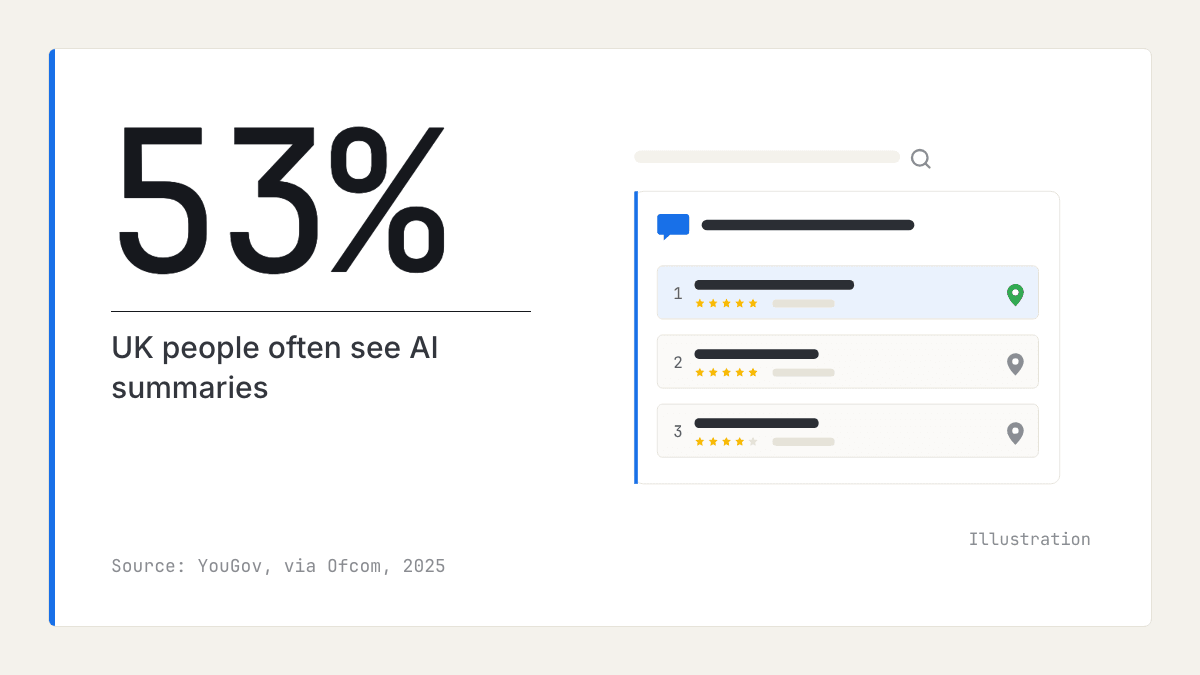
Many people have met them. Ofcom's Online Nation 2025 report quotes YouGov research from February 2025 finding that 53% of UK people say they often see AI summaries. AI versions of the map pack are a separate case, covered in dropped out of the Google map pack.
How often do AI Overviews appear for local searches?
Far less often for searches for a business than for questions. Whitespark's case study of AI Overviews in local search, a US study by a local search software company, found AI Overviews on a small share of searches for a service and a city, and on most informational questions.
In practice, a search such as "dentist Leeds" is still decided mostly by the local pack. AI Overviews matter on the questions people ask before that: what a crown costs, whether a chipped tooth is an emergency, how long a check-up takes. Those questions are where your own pages can be cited.
What does Google say you need to show up in Google AI Overviews?
Nothing special. Google's page on AI features and your website says there are no additional requirements: a page only needs to be indexed and eligible to show with a snippet. There is no special schema.org markup and no need for AI text files. Google adds that these features may run several related searches for one question, which it calls query fan-out, so a page answering one part of a question can be drawn in.
Google's May 2025 post on performing well in AI search gives the checklist:
- Pages must be crawlable and indexable: no accidental noindex tag or robots.txt block.
- Structured data must match what the visible page says.
- Pages must load fast on every device.
- The nosnippet controls apply to AI features too, so a page set to nosnippet cannot be quoted.
The same post notes that people using AI search ask longer, more specific questions. Google's guide to optimising for generative AI features says these features are rooted in its core Search ranking and quality systems, and adds that you can ignore tactics such as chunking content, llms.txt files, and chasing inauthentic mentions.
Business Profile details feed AI Mode's place cards
When AI Mode names local businesses, the details often come from Business Profiles. Whitespark's guide to AI Mode for local businesses says its place cards pull star ratings, review volumes, pricing, and hours from profiles or other sources and wrap them in AI-written summaries, that reviews are a key source for local prompts, and that two people can see different results for the same query.
So the profile fields carry more weight than before. In your Business Profile, check:
- Primary and additional categories (see how to choose Google Business Profile categories).
- Regular hours, and special hours for bank holidays.
- Services or products, with prices where you can give them.
- Attributes, such as accessibility and payment options.
- The business description and recent photos.
Google's review summaries, which now sit where Q&A used to, are covered in what replaced Google Business Profile Q&A.
Answer the questions people ask before they choose
Because AI Overviews appear mostly on questions, the local pages that get cited are the ones that answer what customers want to know before they pick a business: costs, timings, what to expect, and cover outside normal hours.
- List the questions. Take them from reviews, phone calls, emails, and the "People also ask" box for your service.
- Give each question its own section, with the question as the heading.
- Answer in the first sentence or two, in plain words, then add detail.
- Be specific to your area and service: the towns you cover, the prices or price ranges you actually charge, and how soon you can come.
Take a hypothetical boiler engineer in Bristol. A page with sections such as "How much does a boiler service cost?", "Do you work weekends?", and "What happens during a service?" gives Google a direct answer to each longer question searchers type.
LocalBusiness structured data, done properly
Structured data helps Google read your details, but it is not an AI trick: Google says no special markup is needed for AI features. Use it to make your business details unambiguous.
Google's LocalBusiness structured data documentation sets the rules:
- One LocalBusiness entity per physical location, on that location's page.
- The most specific type that fits, such as Dentist or Plumber rather than LocalBusiness.
- Name, address, phone number, and opening hours that match the page, your Business Profile, and your main directory listings.
- No review or rating markup for your own reviews: Google's review snippet guidelines make "self-serving" reviews, which a business publishes about itself, ineligible for review stars.
Test each page with the Rich Results Test, and use URL Inspection in Search Console to confirm Google can read it.
How to check it worked
There is no ranking that tells you whether you show up in Google AI Overviews, so combine three sources.
- Search Console. Clicks from AI Overviews and AI Mode are counted in the Performance report under the Web search type, with ordinary results. Watch clicks and impressions for the question pages you improved. In June 2026 Google announced a generative AI performance report in Search Console, rolling out to a subset of sites first; check whether your property shows it.
- Business Profile performance. Calls, direction requests, and website clicks show whether people act. Our guide to whether your Google Business Profile is working explains each number.
- Your own searches. Search your main questions in a private window and note whether an AI Overview appears and which pages it links. Others may see different results.
Expect fewer clicks per appearance. Pew's US study of 900 adults' browsing in March 2025 found people clicked a traditional result in 8% of visits when an AI summary appeared, against 15% without one, and clicked a link inside the summary in 1% of visits. Measure enquiries, not only clicks. For ChatGPT, see how to get recommended by ChatGPT as a local business.
Where reviews fit
AI Mode's place cards show ratings and review counts, which Whitespark says come from the Business Profile or other sources, so your reviews can be on display right where the AI answer is written. The text of those reviews also tells you which questions customers care about, and so which questions your pages should answer.
Our market reports compare ratings, review counts, and share of positive reviews for the businesses in a category and town, and set out the themes customers raise, which gives you a sourced list of questions worth answering. They do not show whether any business appears in AI Overviews or AI Mode. For collecting and replying to reviews, see our blog.
What to do this week
- Run URL Inspection in Search Console on your home page and main service pages, and confirm each is indexed with no noindex or nosnippet.
- Bring your Business Profile up to date: categories, hours including special hours, services with prices, and attributes.
- List ten questions customers ask, taken from reviews, calls, and emails.
- Rewrite one service page so it answers three of them, one question per section.
- Add or correct LocalBusiness markup for each location and test it with the Rich Results Test.
- Note today's Search Console clicks and impressions under Web, and your profile's calls and direction requests, so you can compare in a month.
Frequently asked questions
- Is Google AI Mode available in the UK?
Yes. Google launched AI Mode in the UK in late July 2025, as a tab in Search results and in the Google app. UK users did not need to join Search Labs first, unlike the earlier US test.
- How does Google choose businesses for AI Overviews?
Google says AI Overviews and AI Mode are built on its core Search ranking systems, so pages that rank well and answer the question are the ones it can draw on. It has not published a separate rule for local businesses. For named places, Whitespark says details such as ratings, review counts, and hours come from Business Profiles or other sources.
- Do I need special schema markup to appear in AI Overviews?
No. Google says there is no special schema.org markup and no AI text file needed for AI Overviews or AI Mode. LocalBusiness structured data still helps Google read your details correctly, as long as it matches what the page shows.
- Will AI Overviews mean fewer clicks from Google?
Probably fewer per search where a summary appears. A Pew study of US adults found people clicked a traditional result in 8% of visits when an AI summary appeared, against 15% when none did. That is why calls, direction requests, and enquiries are better measures than clicks alone.
- Can I see AI Overview traffic in Search Console?
Not as a separate figure in the standard report: AI Overview and AI Mode clicks sit inside the Web search type alongside ordinary results. Google announced a dedicated generative AI report in June 2026, but it reached only some sites at first, so look for it in your own property before relying on it.

Rate My RatingsNewsletter
What reviews say about local markets, in your inbox.
New articles and findings from the blog, as they're published.
Check your inbox.
If this address isn't subscribed yet, we've sent it a link to confirm. Nothing is sent until you click it.
That didn't go through. Check the email address and try again.
Hold on a moment, then subscribe again.
Rate My RatingsNewsletter
What reviews say about local markets, in your inbox.
New articles and findings from the blog, as they're published.
Check your inbox.
If this address isn't subscribed yet, we've sent it a link to confirm. Nothing is sent until you click it.
That didn't go through. Check the email address and try again.
Hold on a moment, then subscribe again.