How to choose Google Business Profile categories
Which profile fields affect whether you are found, and which are for customers only? The evidence for categories, services, attributes, hours, and posts.
To choose Google Business Profile categories well, pick one primary category that describes your whole business as specifically as Google's list allows, then add only the few others that describe your core business, and none that is only a keyword. The primary category matters most. Google says the categories you select affect your local ranking, and the experts in Whitespark's 2026 survey ranked the primary category first. Suggested services, attributes, and accurate hours come next. Posts are for customers, not for rank.
This guide ranks the profile's fields by the evidence behind them, so you know what to fix today and what can wait. If your business does not appear on Maps at all, start with why your business is not showing up on Google Maps.
Which Google Business Profile categories and fields matter most?
The primary category has the strongest evidence behind it, followed by additional categories, services, and hours. Attributes mainly help customers filter, and posts show no measured ranking effect. The table sums up what each source says.
| Field | What Google says | Evidence on being found | What to do |
|---|---|---|---|
| Primary category | Affects local ranking | Ranked first in an expert survey | Most specific accurate category |
| Additional categories | As few as possible, must describe the core business | Mixed, correlational vendor study | A few accurate ones, no padding |
| Services | Suggested first, custom where needed | One directional vendor test | Tick the suggested ones |
| Attributes | Some limited by category or country, some with criteria | Little direct evidence | Turn on every true one |
| Opening hours | Keep them accurate | Not documented by Google, expert opinion ranks it highly | Set special hours too |
| Posts | Updates, offers, and events | One small test found no effect | Use for customers |
Two kinds of source sit behind this table. Google's help pages give the rules; surveys and tests by agencies and software vendors report what practitioners have seen. Neither is a list of Google's weights, because Google does not publish one.
How to choose your primary category
Google's page on choosing a business category says the categories you select affect your local ranking, that the primary category should best describe your business, and that you should be specific: its example is Nail salon rather than Salon. You cannot create your own categories.
The practitioners agree on its weight. Whitespark's 2026 Local Search Ranking Factors report, published on 6 November 2025, surveyed 47 local search practitioners about 187 factors. Its local pack and Maps list puts primary category first, proximity to the searcher second, and keywords in the business name third. That is expert opinion, not a measurement of Google.
To choose it:
- Write down, in one line, what the business is, not what it also offers. A useful test is "this business is a..." rather than "this business has a...".
- Open your profile (search your business name while signed in and choose Edit profile), then find the business category field and select Edit.
- Type the words your customers would use and read every suggestion. Google's list mixes British and American terms, so try both, for example "solicitor" and "lawyer".
- Pick the most specific category that is true of the whole business.
- Check your rivals. Search your main query from your own area and open the businesses in the top three. Each profile shows its primary category under the name. Take a dental practice in Manchester: if every nearby practice in the pack uses Dentist, that tells you which category Google associates with the search.
Do not choose a category because it is a keyword you want. Google's guidelines for representing your business say categories should not be used solely as keywords. Google's category page also warns that adding or editing a category might mean verifying the business again, so allow for that before you change it.
How many additional categories should you add?
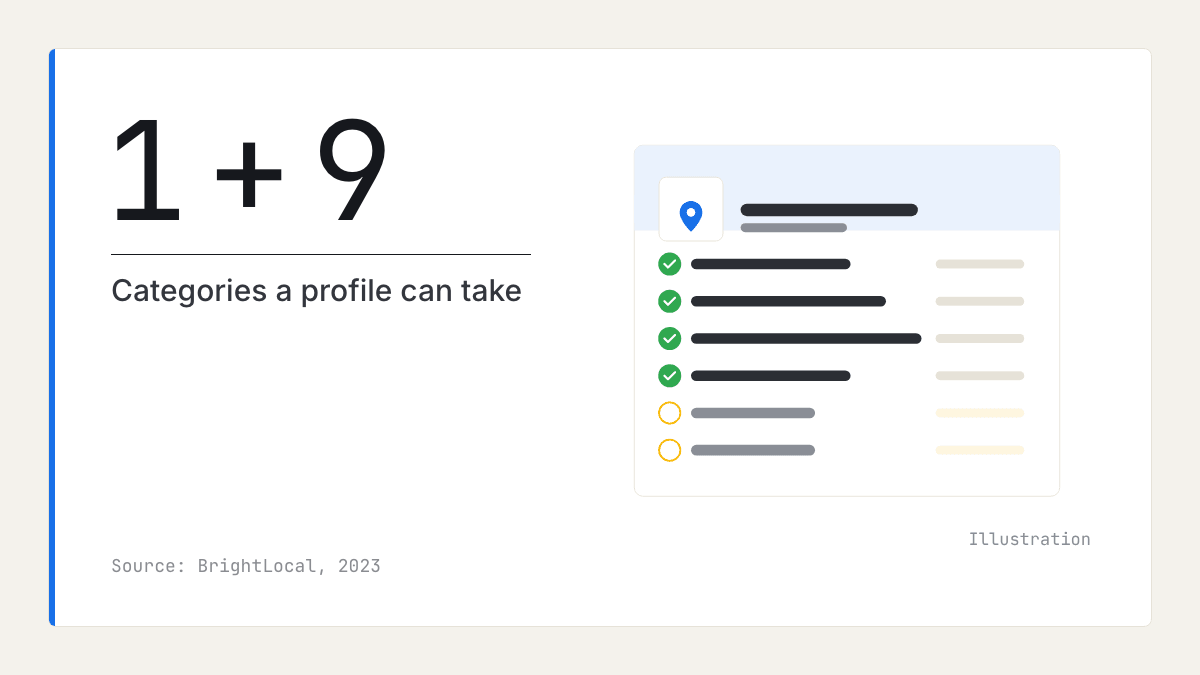
Add only the additional categories that describe your core business, and none that are there only to catch a search. BrightLocal says a profile can take up to nine, but Google's help pages give no number and point the other way.
The evidence here is mixed, and it is worth knowing why. On Google Business Profile categories, Google's rule points to restraint: its guidelines say to use as few categories as possible, and its category page says not to select one for every product or service. A BrightLocal study of additional categories across 1,050 business locations found that profiles with no additional categories had the weakest average map rank, and those with four performed best, at an average rank of 5.9. But that is correlational vendor data, results varied by industry, and there was no clear pattern for dentists.
Read together, the safe course is to add the few categories that describe your core business, list the rest of your work as services, and add nothing false. Additional categories are not shown on your public profile, though some third-party browser extensions read them, which is how agencies compare a rival's full list.
Services, attributes, and hours
These three fields describe what you do, who can use it, and when, and they are where most profiles are left half-finished. Each takes minutes to complete.
Services: tick the suggested ones first
Google's page on managing your services says you add services by ticking the suggestions for your category, or by adding a custom service where none fits. Custom service names that include prices, phone numbers, or personal information are automatically rejected; price has its own field. Sterling Sky reports that adding Google's suggested services improved rankings for matching searches within 24 to 72 hours. Its method is less documented than its other studies, so treat that as directional.
Attributes customers filter by
Attributes are the facts customers check before they visit: accessibility, identity, and amenities. Google's attributes help page states criteria for some, such as an entrance three feet or one metre wide, with no steps or with a ramp, for wheelchair-accessible entrance. Identity attributes include Women-owned. Some attributes are limited to certain countries or business categories, so set your category first. You will find them under the More tab of Edit profile.
Opening hours are a visibility setting
Sterling Sky reported in December 2023 that Google appears to weigh whether a business is open at the time of the search, so a business that is closed can rank lower. Google has not documented this, but Whitespark's survey ranks being open at the time of search fifth. Keep opening hours exact, use special hours for bank holidays and Christmas, and list a separate out-of-hours line only if someone answers it.
Which mistakes should you avoid?
Most category problems come from trying to match a search rather than describe the business. These are the ones to look for:
- Adding a town or service to the business name. Google's guidelines say the name must match the one on your storefront, website, and stationery, and that unnecessary information could lead to suspension.
- Choosing a broad primary category to cover everything you do.
- Listing additional categories for work you do not do.
- Copying a rival's whole list without checking that each category is true of you.
- Changing the primary category every few weeks, so you cannot tell what worked.
Do Google posts help ranking?
Probably not, on the evidence so far. Sterling Sky's test of Google posts, published in 2021, added posts to three small-town listings and found no measurable change in local pack rankings. A test this small cannot settle the question.
So use posts for what they do well: offers, events, and news that help someone who is already looking at your profile decide to call.
How to check the change worked
Measure one change at a time, from the same places, for long enough to see past day-to-day noise. A ranking can move for reasons that have nothing to do with your edit.
- Note the date and exactly what you changed.
- Before the change, search your three main queries from the same four or five points around your area and record your position.
- Repeat the same searches weekly for four weeks.
- In the Business Profile performance report, watch the search terms people used to find you; a new category or service should bring new terms. Our guide to whether your Google Business Profile is working explains each number.
If a rival with weaker fields still sits above you, the reason may lie elsewhere; see why a competitor with fewer reviews can rank higher.
Where reviews fit
Categories and services tell Google what you do; reviews are where customers confirm it in their own words. With the public Q&A section gone, the description, services, attributes, and reviews now carry the answers customers used to ask for, as our article on what replaced Google Business Profile Q&A explains.
That makes review text useful when you decide which services to list and describe first. Our market reports group what customers praise and complain about across a category and town, alongside each business's rating, review count, and share of positive reviews. They say nothing about which categories rank, and they hold no search data. More on reviews is on our blog.
What to do this week
- Write one line saying what the business is, and check your primary category against it.
- Open the top three rivals for your main search and note their primary categories.
- Remove any additional category that is only a keyword or covers a single service, and add one only if your core business needs it.
- Tick every suggested service that you offer, then add custom services without prices or phone numbers in the names.
- Turn on every attribute you meet the criteria for.
- Set special hours for the next bank holiday and Christmas.
- Record your positions for three searches from four points, and check again weekly for four weeks.
Frequently asked questions
- How many categories can a Google Business Profile have?
A profile takes one primary category, and BrightLocal says up to nine additional ones, ten in all. Google's help pages give no number and say to use as few as possible, so add only those that describe your core business. You cannot create your own; every category must come from Google's list.
- Should my primary category be broad or specific?
Specific. Google's own help page tells owners to pick the category that describes the business as a whole and to be as specific as possible, giving Nail salon rather than Salon as its example. A broad category puts you up against every business that shares it, while a specific one matches the searches your customers actually make.
- Can I change my primary category without losing my ranking?
You can change it at any time, though Google warns you might be asked to verify the business again, and it does not say what happens to rankings afterwards. Because Google says categories affect local ranking, searches tied to the old category can move. Change it only when the new category describes the business better, note the date, and track the same searches for four weeks.
- Do Google posts help my ranking?
There is no good evidence that they do. A small 2021 test by the agency Sterling Sky added posts to three small-town listings and found no measurable change in local pack rankings, though one small test cannot settle the question. Use posts for offers, events, and news that help a customer decide.
- Which attributes should a local business turn on?
Turn on every attribute that is accurate, starting with the ones customers filter by, such as accessibility features. Google states criteria for some of them, so check that you meet each one before ticking it. Some attributes are limited to certain countries or business categories, which is another reason to get your category right first.

Rate My RatingsNewsletter
What reviews say about local markets, in your inbox.
New articles and findings from the blog, as they're published.
Check your inbox.
If this address isn't subscribed yet, we've sent it a link to confirm. Nothing is sent until you click it.
That didn't go through. Check the email address and try again.
Hold on a moment, then subscribe again.
Rate My RatingsNewsletter
What reviews say about local markets, in your inbox.
New articles and findings from the blog, as they're published.
Check your inbox.
If this address isn't subscribed yet, we've sent it a link to confirm. Nothing is sent until you click it.
That didn't go through. Check the email address and try again.
Hold on a moment, then subscribe again.