How to get your business on Apple Maps and Siri
Apple Business replaced Business Connect in April 2026, so older guides are out of date. How to claim your place card, and where its ratings come from.
To get your business on Apple Maps and Siri, claim your location in Apple Business, the free platform that replaced Apple Business Connect from 14 April 2026, then complete the place card so its name, address, phone number, hours, and category match your website and Google profile. The same place card feeds Siri, Spotlight, and the other Apple apps that show local places.
The ratings on that card can come from two sources you cannot edit: Apple's own thumbs-up ratings and reviews from third-party sites. So the job has two halves: a claimed, complete card, and customers who rate you where iPhone users look. Guides written before April 2026 describe Business Connect; the steps below follow the tool as it is now.
Why Apple Maps matters more than it did
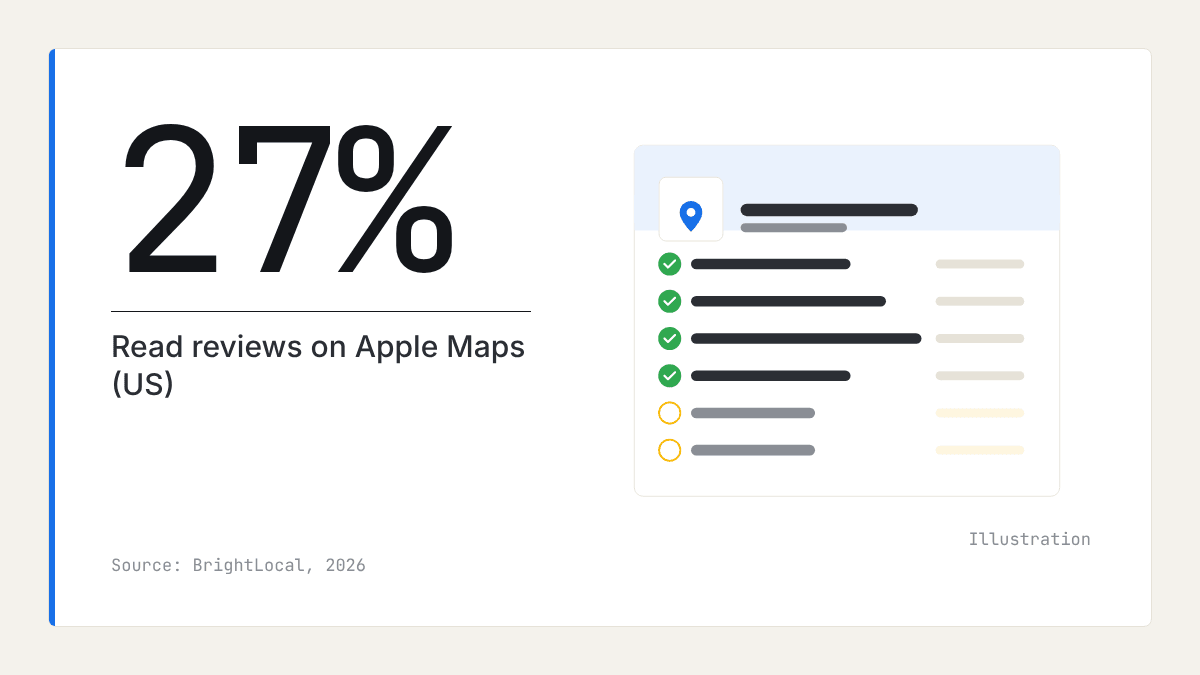
More people now read local reviews on Apple Maps than a year ago, at least in the US. In BrightLocal's Local Consumer Review Survey 2026, a survey of US adults published in February 2026, Apple Maps as a place to read reviews of local businesses nearly doubled, from 14% of respondents in 2025 to 27% in 2026. Google fell from 83% to 71% over the same year. Google is still far ahead, but the gap has narrowed.
There is no UK equivalent of that figure, and Apple publishes no count of how many people ask Siri for a local business. The mechanism is not in doubt, though. Anyone with an iPhone who searches in Maps, asks Siri for a dentist nearby, or taps a suggestion in Safari sees Apple's place data, not your Google Business Profile. If your business on Apple Maps is unclaimed or out of date, those customers see whatever Apple has gathered from elsewhere.
Apple Business replaced the tool older guides describe
Apple launched Business Connect in January 2023 as a free tool for how a location appears in Maps, Messages, Wallet, and Siri, and opened it to businesses without a physical location in October 2024. Apple's announcement of Apple Business says it replaced Business Connect from 14 April 2026, that the new platform is free, and that claimed locations and place cards would migrate automatically.
Three practical points follow.
- If you claimed your place card under Business Connect, do not claim it again. Sign in to Apple Business and check every detail came across.
- If you have no premises, you can still register and manage how your business presents itself on Apple devices. A Maps place card is built around a location customers visit, so check what Apple offers for your type of business when you sign in.
- TechRadar's report on the launch notes that ads in Apple Maps were planned for the US and Canada first. For UK owners, the free place card is the whole job.
Where your place card appears
Birdeye's guide to Apple Business lists where information managed in Apple Business can appear:
- Apple Maps, when someone searches for a type of business or for you by name
- Siri, when someone asks for a business by voice
- Spotlight, the search built into iPhone and Mac
- Apple Wallet
- CarPlay, for drivers searching on the move
- Safari Suggestions, when someone types your name into Safari
One set of facts serves six places, so accuracy matters more than polish.
How to claim your business on Apple Maps
Claiming your business on Apple Maps is a sign-in, a search, and a verification step. Completing the card is the part most owners skip, and the part customers see.
- Sign in to Apple Business with the account Apple asks for. One that more than one person in the business can reach is safer than a personal one.
- Search for your business. If it appears, claim it. If it does not, add it as a new place.
- Complete the verification Apple asks for. The location goes live once Apple has verified it.
- Match your name, address, phone number, and hours exactly to your website and Google Business Profile. Use your real trading name, with no added services or town names.
- Choose the category that names what you are, and add others only where they are true.
- Add a logo, recent photos of your premises and work, a short description, and any action links Apple offers for your category, such as booking or ordering.
- Set special hours before bank holidays and closures, so nobody is sent to a locked door.
| Field | What to enter | Common mistake |
|---|---|---|
| Name | Your trading name, exactly as on your signage | Adding services or a town to the name |
| Address | The same format as your website and Google profile | A different unit number or postcode on each platform |
| Phone | A local number that is answered | An old number, or a tracking number used nowhere else |
| Hours | Regular hours plus special hours | Forgetting bank holidays and Christmas |
| Category | The one that names what you are | A broad category because it sounds bigger |
| Photos | Your premises, team, and work | Stock images, or a logo alone |
Where do the ratings on Apple Maps come from?
An Apple Maps place card can carry ratings from two sources, and the business can edit neither.
Apple's own ratings. 9to5Mac reported in August 2021 that Apple Maps had launched its own ratings and photos in the US. A user gives a place a thumbs up or down, overall and for a few attributes, and can add photos, but cannot write a comment.
A June 2022 guide from Localise, a UK listings specialist, said these ratings were offered in more than 60 countries including the UK, were given on mobile only, and varied by category. Some categories, such as healthcare, allowed only the overall thumbs up or down. Some, such as banks and professional services, allowed no rating at all.
Third-party reviews. When Business Connect launched in 2023, TechRadar reported that place cards would keep ratings and reviews from other sites, such as Yelp and Tripadvisor, which businesses cannot edit. They may still appear beside Apple's own ratings, depending on your category and country.
The same Localise guide said that in the UK, at that time, a rating was shown only to the person who gave it. That may have changed, and we have not confirmed what a UK iPhone shows today. So before you plan anything, open Maps on an iPhone, find your own card and two rivals' cards, and note what each shows: an Apple rating, a third-party source, both, or neither.
How to ask customers to rate you in Apple Maps
Customers rate you in Apple Maps on their iPhone, not on a computer, so the ask works best while they are holding one. Check first that your card can be rated, because Localise found some categories could not be.
- After every visit or job, ask whether the customer uses an iPhone. If they do, ask them to search your name in Apple Maps, open your place card, and rate you.
- Ask the same customers for a written review on any site your card shows, and on Google. Apple's ratings carry no words; those reviews do.
- Ask every customer, not only those you expect to be pleased, and never offer a discount, prize, or anything else in return. Google's policies forbid selectively asking for positive reviews. Ask steadily, after every job, rather than in one burst.
For how to ask for reviews in general, including wording and timing, see the guides on the Rate My Ratings blog.
How to check it worked
Check your business on Apple Maps from an iPhone, as a customer would, not from the Apple Business dashboard.
- Open Maps and search for your service and town, such as "electrician Harrogate". Note whether you appear.
- Search your business name and check every field against your website.
- Ask Siri the same question. Results can differ with where the person is, so ask from the area your customers live in if you can.
- Compare your card with your two closest rivals': photos, hours, description, and where their ratings come from.
- Recheck a week after any change, and after a move, new hours, or a new phone number.
For Microsoft's equivalent, see whether Bing Places for Business is worth it in the UK. If you are missing from Google too, start with why a business is not showing up on Google Maps.
Where reviews fit
What iPhone users see about your business on Apple Maps depends on how and where customers rate you. Apple's own ratings say only whether people liked you. The words that say what you are good at come from the third-party reviews on your card and from your own website, and those words are also what search engines and AI assistants match against a customer's question. A later article in this series asks whether ChatGPT uses Google reviews.
Our local market reports read the public reviews of the businesses in a category and town. They show which competitors are well reviewed, by rating, review count, and share of positive reviews, and what customers praise and complain about across the market. They do not report Apple Maps placement, Siri answers, or Apple's own ratings, and they do not diagnose why a business appears where it does.
What to do this week
- Sign in to Apple Business, find your location, and claim it or confirm it migrated from Business Connect.
- Make your name, address, phone number, and hours identical to your website and Google Business Profile.
- Add Christmas and New Year hours now, plus photos and a short description if they are missing.
- On an iPhone, look at your card and two rivals' cards, and note where each one's ratings come from.
- If your card can be rated, start asking every iPhone-using customer to rate you in Apple Maps, and for a written review on any site your card shows.
- Set a reminder to repeat the iPhone check next month.
Frequently asked questions
- What happened to Apple Business Connect?
Apple replaced Business Connect with Apple Business from 14 April 2026. Apple Business brings Apple's tools for businesses into one free platform, and claimed locations and place cards moved across automatically. If you claimed your card before, sign in and check your details rather than starting again.
- How do I add my business to Siri?
There is no separate Siri listing to fill in. Siri answers local questions from Apple's place data, so claiming and completing your place card in Apple Business is how your business reaches Siri. You can check it by asking Siri for your service and town on an iPhone.
- Do I need premises to appear on Apple Maps?
You do not need premises to use Apple's business tools, which Apple opened to businesses without a physical location in October 2024. A Maps place card is built around a location customers can visit, though. If you only work at customers' homes, check what Apple Business offers for your type of business when you sign in.
- Where do the ratings on Apple Maps come from?
They can come from two sources. Apple's own ratings are a thumbs up or down given by iPhone users in Maps, overall and sometimes for a few attributes, with no written comments. Reviews from third-party sites such as Yelp and Tripadvisor can appear beside them, depending on your category and country.
- Can I edit the ratings or reviews on my Apple Maps place card?
No. A business cannot edit or remove Apple's own ratings or the reviews shown from other sites. You control the facts on the card, such as hours, photos, and the description. The only way to change what the ratings say is for more customers to rate you.
- Is Apple Business free to use?
Yes. Apple describes Apple Business as free, as Business Connect was before it. Apple has also announced ads in Apple Maps, starting in the US and Canada, which are a separate paid option and not needed to appear.

Rate My RatingsNewsletter
What reviews say about local markets, in your inbox.
New articles and findings from the blog, as they're published.
Check your inbox.
If this address isn't subscribed yet, we've sent it a link to confirm. Nothing is sent until you click it.
That didn't go through. Check the email address and try again.
Hold on a moment, then subscribe again.
Rate My RatingsNewsletter
What reviews say about local markets, in your inbox.
New articles and findings from the blog, as they're published.
Check your inbox.
If this address isn't subscribed yet, we've sent it a link to confirm. Nothing is sent until you click it.
That didn't go through. Check the email address and try again.
Hold on a moment, then subscribe again.