How to rank in surrounding towns on Google Maps
Strong at home, invisible two miles away? Your rank is a map, not a number. A free manual grid, how to read it, and what reaches the next town.
To rank in surrounding towns on Google Maps, you have to beat the businesses that are closer to the searcher, and that takes relevance and prominence rather than any setting. Google describes distance as how far each business is from the customer searching, so your pin works against you once someone is in the next town. What carries you further is a profile and website that match the search closely, a real page for each service and area, and more reviews and mentions than nearer rivals. A nine-point rank grid shows whether it is working.
Why your rank changes a mile away
Your rank changes a mile away because distance is one of Google's three main local factors, and it is measured from the searcher, not from you. Google's help page on how to improve your local ranking on Google says local results rest on relevance, distance, and prominence, and that distance is how far each business is from the customer searching or, if they do not share where they are, from what Google knows about their location.
The same page lists verification among its steps, so start from a verified profile.
Distance is not applied mechanically. Google Maps Help on searching for nearby places says a business that is farther away can rank higher than a closer one if Google judges it more likely to have what the searcher wants. That is the whole opportunity: you cannot move closer to the next town, but you can become the better match for it.
What a rank grid shows, and what it does not
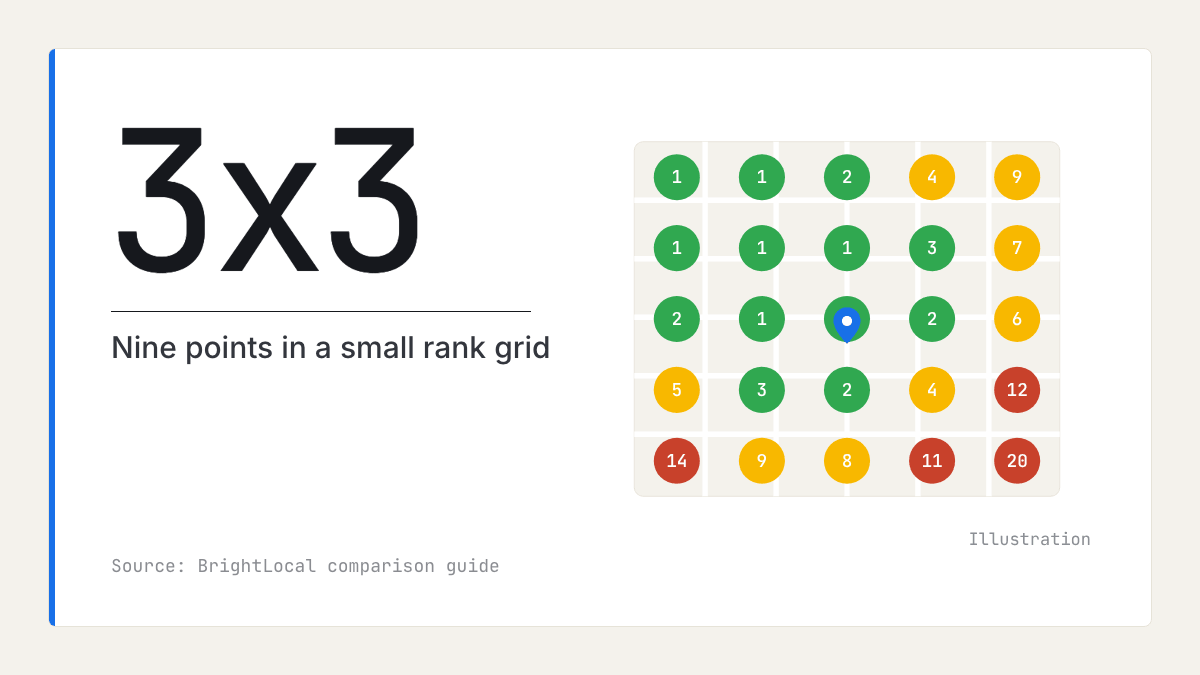
A rank grid checks the same keyword from many points across your area and shows your position at each, so you see a map of where you rank instead of one number. BrightLocal's comparison of geo grid ranking tools describes grids set by size, such as 3x3, 5x5, or 7x7, with some tools going as far as 21x21. It notes that "geo grid" is not an industry-standard name.
Two limits matter: the ranks come from each tool's own checks, not Google data, and a grid shows where you appear, not why.
If you use a paid tool, Local Falcon's reports use three measures, by its own definitions of SoLV and ARP and ATRP:
- SoLV (share of local voice): how often you appear in the top three across the grid.
- ARP (average rank position): your average rank at the points where you appear.
- ATRP (average total rank position): your average rank across all points, including those where you do not appear.
A free manual grid for a UK town
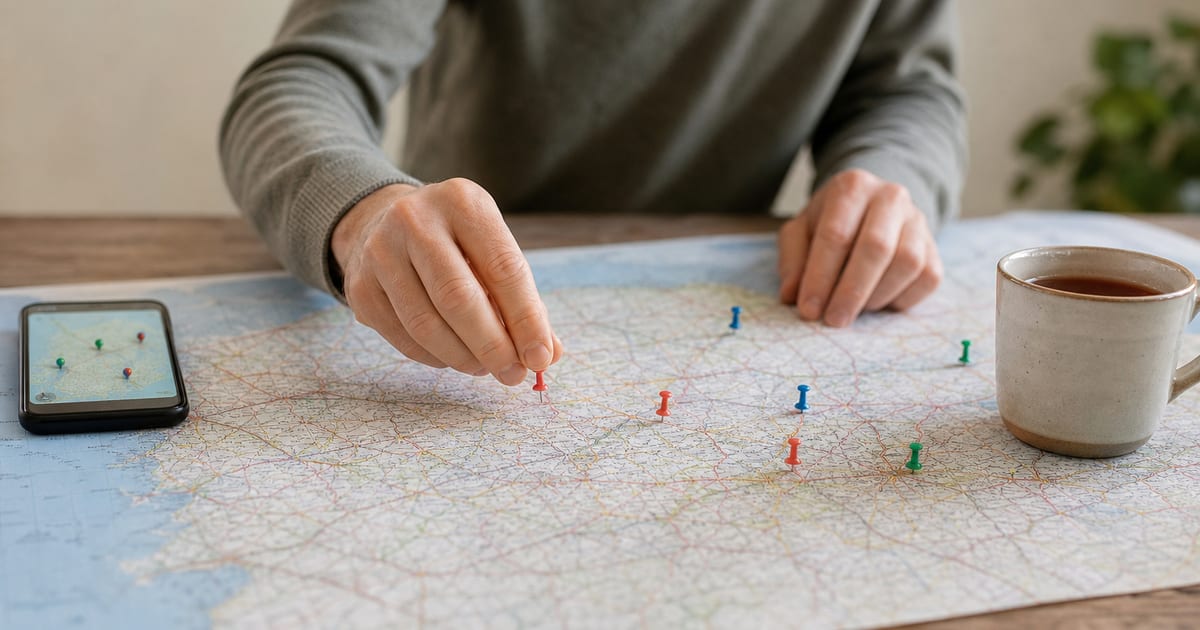
You can build a usable grid by hand with nine searches. It is coarser than a paid tool, but free, and it tells you whether you rank in surrounding towns at all. The spacing below is our guidance, not a standard.
- Pick one keyword a customer would type without a town name, such as "boiler repair", "dentist", or "accountant".
- Mark nine points on a map in a 3x3 pattern: your premises in the centre, four points at the edge of the area your customers come from (north, east, south, and west), and four at the corners. Put at least one point inside the town you want to reach.
- Space the points to suit the place: about half a mile apart in a city centre, a mile in a suburban town, two to three miles for a market town and its villages.
- Search from each point on a phone with location on, in a private window, signed out. If you cannot get there, add the point's postcode district to the query at a desk ("boiler repair HG2"). That is a rough stand-in, not something Google's help page describes, and it may not match what a phone standing there sees.
- Record the top three businesses at each point, and your own position if you appear lower down.
| Manual 3x3 grid | Paid grid tool | |
|---|---|---|
| Points checked | 9 | Up to 441 (a 21x21 grid) |
| Cost | About an hour of your time | A subscription or credits |
| What you see | The results a customer sees | The tool's own checks |
Run it for your three nearest rivals too
Your own grid shows where you are missing; your rivals' results show who fills the gap, which is where the useful questions start. Because you recorded the top three at every point, you already have their positions.
For each rival that wins the town you want, compare:
- Primary category. Is theirs narrower or a closer match to the search? Our guide to choosing Google Business Profile categories covers this.
- Address. Are their premises nearer that town than yours?
- Reviews. How many, how recent, and how detailed? See why a competitor with fewer reviews can rank higher.
- Website. Do they have a real page for that service in that town?
- Hours. Were they open when you searched? Google has not documented hours as a ranking factor, but note it.
To widen this from three rivals to every business in your category, see how to do a local competitor analysis of your whole market.
Do service areas help you rank in surrounding towns?
Not directly, as far as testing shows: service areas tell customers where you work but do not appear to extend where you rank. Whitespark's 2024 service area tests found that adding service areas made no difference to local rankings, a US vendor test that could change as Google does. Google's service area guidance allows up to 20 service areas and asks that the overall area stay within about two hours' drive of your base. Fill them in accurately, but do not expect them to carry you.
The address is a different matter. Sterling Sky and Places Scout analysed 8,186 businesses in 200 US cities for "near me" trade searches in 2025 and found that hiding the address was negatively correlated with local pack ranking. That is US data and a correlation, not proof. If customers can visit you, keep the address visible. If they cannot, Google asks you to hide it, and your levers are relevance and prominence instead.
A real page for each service and area
A dedicated page for each service, and for each area you genuinely work in, gives Google and AI assistants something specific to match. In Whitespark's 2026 Local Search Ranking Factors report, a dedicated page for each service rated highly for both organic and AI visibility. That is expert opinion, not Google's weights.
"Real" is the important word. Google's spam policies treat pages aimed at particular regions or cities that funnel visitors to one page as doorway abuse, and blocks of town names as keyword stuffing. A page for the next town earns its place with what only you can say: jobs you have done there, how quickly you reach it, parking or access, and reviews from customers there. One template with the town name swapped is the version to avoid.
Where reviews fit: prominence travels further than proximity
Reviews feed prominence, and prominence is what helps you rank in surrounding towns, because it works across your whole area rather than only near your pin. Google's local ranking page says prominence is based partly on how many reviews you have, and that more reviews and positive ratings can help local ranking. Sterling Sky's US study also found that reviews received this month mattered more than total review count, and that reviews with text counted for more than star-only ones. In Whitespark's 2026 survey, three of the top five AI visibility factors were citations or mentions (expert opinion).
Should customers name the town in their reviews? There is no good evidence that it helps. In a small 2022 test of review text by Sterling Sky, reviews mentioning "Christmas trees" were added to one listing and its map pack rankings for that phrase did not improve, and some fell. The test was very small and used product words rather than town names, and Sterling Sky's Joy Hawkins says someone at Google warned her that leaving such reviews from your own Google account risks being blacklisted. Ask for honest reviews in customers' own words: they describe the job, which is what searchers and assistants read.
Once your grid shows which rivals win the next town, our local market reports compare their rating, review count, and share of positive reviews with yours across the category and town, and set out the themes customers raise. They contain no grid, ranking, or search data; the grid is your own check. For collecting and replying to reviews, see our blog.
How to check it worked: repeat the same grid each month
Re-run the same grid each month and change one thing at a time, so you know what moved it. Keep the keyword, points, weekday, time, and device the same, with every month in one sheet. Progress looks like your name reaching the top three at the points nearest the next town, then spreading. If the grid suddenly empties everywhere, including at your door, that is a different problem: see dropped out of the Google map pack? What to check first. For the calls, direction requests, and website clicks behind the ranks, see is my Google Business Profile working?
What to do this week
- Confirm your profile is verified and your primary category matches your main service.
- Run the 3x3 grid for one keyword, with at least one point inside the town you want to reach.
- Note the top three at each point, so you have your three nearest rivals' positions too.
- Pick the point where a rival beats you most clearly and compare the five things above.
- Write or rewrite one real page for your main service in that town, with detail only you could give.
- Ask this week's customers for a review in their own words, with no suggested wording.
- Put the same grid, on the same weekday, in your diary for one month from today.
Frequently asked questions
- Why does my business rank in my town but not the next one?
Google weighs distance from the searcher, so in the next town the businesses nearer to them start with an advantage. A business farther away can still rank higher when Google judges it a better match for the search. That comes from relevance and prominence: the right categories, a page about the service, and reviews and mentions across the web.
- What is a geo grid rank tracker?
It is a tool that checks one keyword from many points across an area and shows your position at each point on a map, in grids of various sizes, up to 21x21 in some tools. The ranks come from the tool's own searches rather than from Google data. A grid shows where you appear, not why.
- Should I hide my address if I work at customers' homes?
If customers do not visit your premises, Google asks you to hide the address and list service areas instead. If customers can visit, keep the address visible. A US study by Sterling Sky of "near me" trade searches linked hidden addresses with lower local pack rankings, although that is a correlation rather than proof.
- Do I need a separate web page for each town I serve?
Only for towns where you genuinely work and have something specific to say about the service there. A useful town page covers real detail, such as jobs done locally and how quickly you can attend. Near-identical copies with the town name swapped risk being treated as doorway pages under Google's spam policies.
- How large should my rank grid be?
A 3x3 grid of nine points is enough to see whether you appear in the next town at all, and you can run it by hand in under an hour. Paid tools go as far as 21x21 for finer detail and several keywords. Whatever size you choose, keep the same points, keyword, and weekday each month so the results compare.
- Do Google Business Profile service areas help you rank in more towns?
Testing so far says no. Whitespark found that adding service areas made no difference to local rankings, and service areas mainly tell customers where you work. List them accurately, within about two hours' drive of your base as Google asks, but do not rely on them to reach a new town.

Rate My RatingsNewsletter
What reviews say about local markets, in your inbox.
New articles and findings from the blog, as they're published.
Check your inbox.
If this address isn't subscribed yet, we've sent it a link to confirm. Nothing is sent until you click it.
That didn't go through. Check the email address and try again.
Hold on a moment, then subscribe again.
Rate My RatingsNewsletter
What reviews say about local markets, in your inbox.
New articles and findings from the blog, as they're published.
Check your inbox.
If this address isn't subscribed yet, we've sent it a link to confirm. Nothing is sent until you click it.
That didn't go through. Check the email address and try again.
Hold on a moment, then subscribe again.