How do I check if ChatGPT recommends my business?
Ask ChatGPT once and you learn almost nothing. A repeatable monthly sheet: fixed prompts, several runs, and a count of how often each business is named.

The honest answer to "how do I check if ChatGPT recommends my business?" is: not by asking once. AI assistants change their answers with nearly every run, so a single result proves little either way. Instead, write eight to ten questions your customers ask, each naming your town, run each one three times in a new, logged-out chat, and record every business named. How often you are named compared with each rival, your share of mentions, is the measure to track month by month.
This guide sets out the method, the sheet, and the few platform tools that show when an assistant cites your website.
Why does ChatGPT give a different answer every time?
Because each answer is generated afresh, and when the assistant searches the web for a local question, the sources it finds can shift between runs. The order of names is close to random; the pool of names is steadier.
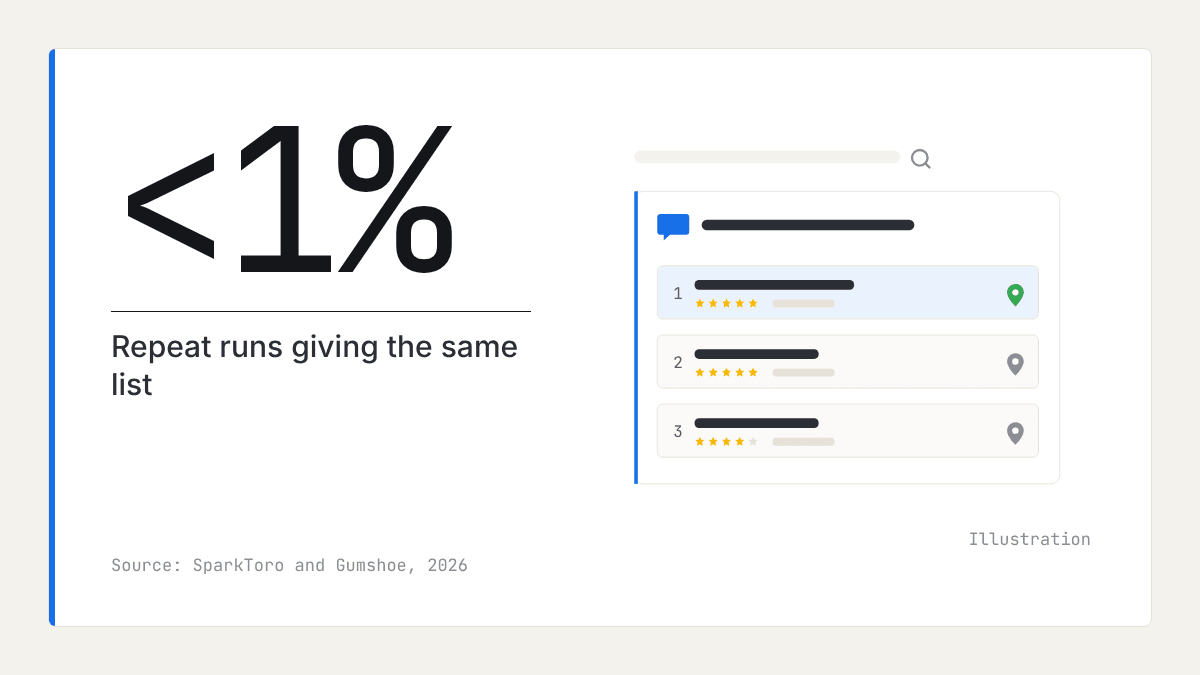
The clearest evidence comes from SparkToro's research on how AI recommendations change. With Gumshoe.ai, 600 volunteers ran 12 prompts, each group using the same wording, through ChatGPT, Claude, and Google's AI about 2,961 times (fieldwork November to December 2025). The chance of ChatGPT or Google's AI giving the same list of brands twice was under 1 in 100, and of the same list in the same order about 1 in 1,000. Gumshoe sells AI tracking tools, so it has an interest in the finding, but local studies point the same way.
BrightLocal's Local AI Visibility Study, published in September 2026 from 200,085 searches for 1,300 business locations by a company that sells a tracking tool, reports that repeat searches named overlapping businesses only 33% of the time on AI Overviews, 23% on ChatGPT, and 21% on AI Mode. A Steady Demand study reported by MarTech, covering 14,472 citations from 1,487 local queries in 50 US metros, found Gemini's sources matched only about 40% of the time across rewordings of a question, and at best 46% on an immediate repeat, according to Steady Demand's index. That is US vendor data.
The conclusion for an owner: one screenshot of ChatGPT naming you, or not naming you, is an anecdote. You need a sample.
How to check if ChatGPT recommends my business
The method is a small monthly survey with a fixed set of questions. Set it up once in a spreadsheet, then repeat it on the same day each month.
Step 1: write the questions your customers ask
Write eight to ten prompts in your customers' words, not yours. Each one should name a town, area, or postcode. OpenAI's help page on searching the web with ChatGPT says ChatGPT may use an approximate location based on your IP address, that precise location sharing is off by default, and that answers improve when the user names a city, neighbourhood, or postcode.
Mix the kinds of question people really ask:
- The broad search: "best dentist in Harrogate".
- The specific need: "emergency plumber in Leeds open on Sunday".
- The comparison: "which estate agent in Bath is best for first-time sellers?"
- The nearby area you want to win: the same questions for the next town.
Leave your own name out of these prompts. Keep the list fixed: if you change the wording, you cannot compare months.
Add one separate name check: "What do you know about [your business] in [town]?" Note anything wrong, such as old hours or a service you no longer offer.
Step 2: run each prompt three times on each assistant
Open a new chat for every run, logged out or in a temporary chat where the assistant allows it, so memory of past conversations does not colour the answer. Run each prompt three times, and note the date, the device, and where you were. Three is a practical compromise: SparkToro suggests at least 60 to 100 runs for a firm figure, so treat your shares as a rough guide. If you run the checks from home in a different town, keep the town in every prompt, since ChatGPT otherwise works from an approximate location based on your IP address.
Cover the assistants your customers are likely to use: ChatGPT, Gemini, Google's AI Mode, Microsoft Copilot, and Perplexity. If time is short, start with ChatGPT and one Google product.
Step 3: count mentions, not positions
Record every business named in every answer, not only whether you appear. Then work out each business's share of mentions: the number of answers that named it divided by the total number of answers.
Positions mislead because the order shifts so much between runs. Shares are steadier. Take a hypothetical florist in Norwich: being named in a third of answers, while the nearest rival is named in two thirds, is a clearer finding than being "third" in one reply.
Expect short lists. BrightLocal's study reports that ChatGPT names about 4.1 businesses per answer (range 1 to 7, median 4), with medians of 2 to 4 across platforms. In a town with dozens of businesses in your category, most are never named.
Step 4: keep Google Maps in the sheet
Run the same questions in Google Maps and note the top three businesses. Local Falcon's analysis of 189,905 ChatGPT results for restaurant queries (February 2026, vendor measurement of businesses tracked on its platform, worldwide with a US breakout) found 83% of restaurants were invisible on ChatGPT, against 14% invisible on Google for the same queries.
Reading the two side by side tells you where the problem sits. Named on Maps but not by assistants: the gap is specific to AI. Absent from both: start with the basics in why your business is not showing up on Google Maps.
Step 5: read the sources each answer cites
Open the Sources list under each ChatGPT answer and note which websites, review sites, and directories it used. Over a few months you will see which sites assistants rely on in your category and town. Our guide to whether ChatGPT uses Google reviews explains what each assistant tends to read.
The assistants differ, and they change. Steady Demand's index (US vendor data) shows about 60% of Gemini's citations went to business websites. ChatGPT's share was 15.9%, then 42.8% after its sources shifted on 20 August 2026.
| What to record | Why it matters |
|---|---|
| Every business named, per run | Gives each business's share of mentions |
| Assistant, date, device, and place | Lets you compare like with like each month |
| Sources cited | Shows which sites the assistant relies on |
| Errors in the name check | Shows which listing or page to correct |
| Google Maps top three | Separates an AI gap from a wider one |
Can you see when Copilot cites your website?
Partly, and only for Microsoft's assistants. Two free tools give owners some direct data; OpenAI offers no equivalent for ChatGPT, publishes no criteria for which local businesses it names, and has no submission route; its ads, a UK agency reports, appear beneath answers rather than inside them.
- Bing Webmaster Tools, AI Performance report. Microsoft introduced the AI Performance report in public preview on 10 February 2026. Verify your website in Bing Webmaster Tools and open the report to see how often your pages are cited in Microsoft's AI answers and which pages. The same post says registering with Bing Places keeps your address, hours, and contact details "eligible for inclusion in AI-generated responses".
- Microsoft Clarity, grounding queries. Clarity, Microsoft's free site analytics tool, now shows the grounding queries behind AI citations: the Bing and Copilot sub-queries that led to a page being cited. Install it on your site and check which questions bring your pages into answers.
Neither tool covers ChatGPT, Gemini, or Perplexity, so the hand check stays your main measure.
What should you do with the results?
Treat the sheet as a monthly diagnosis, then fix one gap at a time:
- Correct any error the name check found, at its source: your Google Business Profile, Bing Places, or your website.
- Look at the rivals named most often and the sources cited for them. Our guide to getting recommended by ChatGPT covers what to change.
- Make one change a month, so you can tell what made a difference.
- Judge only a change that holds for two or three months. A single month's rise can be noise.
Fold the sheet into your monthly review in is my Google Business Profile working, and into the quarterly local competitor analysis.
Where reviews fit
When the sheet shows rivals named instead of you, the next question is what they have that you lack. Reviews are one of the few inputs you can compare directly: assistants can repeat what reviewers say, and review sites appear among the sources they cite.
Our market reports compare review counts, ratings, and share of positive reviews for the businesses in a category and town, and set out the themes customers praise and complain about. That shows whether the rivals assistants favour also lead on reviews. The reports contain no AI visibility or search ranking data, so the hand check above stays your job. For collecting and replying to reviews, see the rest of our blog.
What to do this week
- Write eight to ten customer-style prompts, each naming your town or postcode, and save them as a fixed list.
- Set up a sheet with the columns in the table above.
- Run each prompt three times on ChatGPT in a new, logged-out chat, and on at least one Google product.
- Run the name check and note any errors.
- Count each business's share of mentions, yours included.
- Run the same questions in Google Maps and note the top three.
- Verify your site in Bing Webmaster Tools and install Microsoft Clarity.
- Put the next run in your diary for the same day next month.
Frequently asked questions
- Why does ChatGPT give a different answer every time I ask?
ChatGPT writes each answer afresh, and when it searches the web for a local question the sources it finds can differ from one run to the next. Research by SparkToro found the same list of names came back in under 1 in 100 repeat runs. The pool of businesses it draws from is steadier than the order it names them in.
- How many times should I run the same prompt?
Three runs per prompt on each assistant is a practical starting point for a small business, repeated every month with the same wording. SparkToro suggests at least 60 to 100 for a firm figure, so with eight to ten prompts treat the result as a rough guide to who is named often and who rarely. Judge a trend over two or three months, not a single month.
- Should I check logged in or logged out?
Logged out, or in a temporary chat, where you can. A logged-in account can carry memory and past conversations that colour the answer, and you want to see roughly what a new customer would see. Whichever you choose, use the same setting every month.
- Can I see when Copilot cites my website?
Partly. Bing Webmaster Tools has an AI Performance report, in public preview since February 2026, that shows when your site's pages are cited in Microsoft's AI answers. Microsoft Clarity can show the grounding queries that led to those citations. OpenAI offers no equivalent report for ChatGPT.
- Are paid AI visibility tools worth it for a small business?
They run the same kind of repeated prompts at a larger scale and save time, which matters most for businesses with many locations. For one location, a shared spreadsheet and a few hours a month cover the essentials. Bear in mind that several of the studies quoted on this subject come from companies that sell these tools.

Rate My RatingsNewsletter
What reviews say about local markets, in your inbox.
New articles and findings from the blog, as they're published.
Check your inbox.
If this address isn't subscribed yet, we've sent it a link to confirm. Nothing is sent until you click it.
That didn't go through. Check the email address and try again.
Hold on a moment, then subscribe again.
Rate My RatingsNewsletter
What reviews say about local markets, in your inbox.
New articles and findings from the blog, as they're published.
Check your inbox.
If this address isn't subscribed yet, we've sent it a link to confirm. Nothing is sent until you click it.
That didn't go through. Check the email address and try again.
Hold on a moment, then subscribe again.