What replaced Google Business Profile Q&A?
Google replaced Q&A in Maps with an AI Ask button from December 2025. AI now answers customers' questions from your answers and reviews. What UK owners should do.

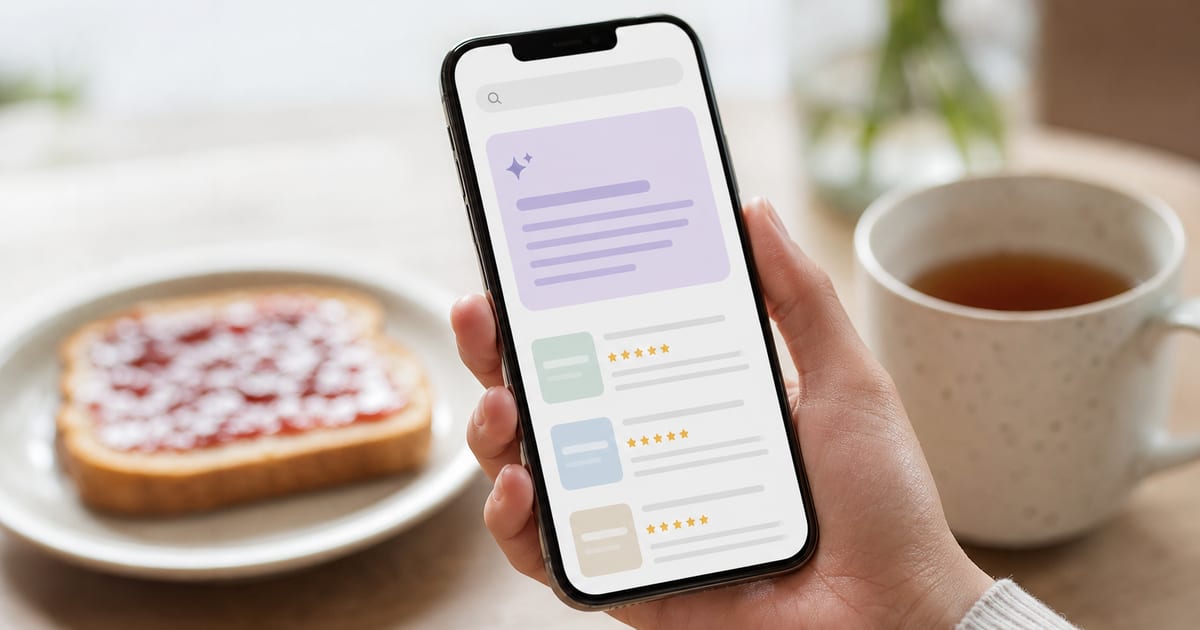
An AI Ask button in the Google Maps app took its place, though not like for like. Google said in December 2025 that it would essentially remove the Google Business Profile Q&A section from Maps, and customers' questions are now answered by AI that reads your answers and your reviews. AI review summaries draw on the same reviews, and Google offers them through its developer platform in the UK in English. Ask Maps, the wider Gemini assistant inside Google Maps, launched in the US and India in March 2026 and began rolling out in English to over 150 countries and territories in August 2026. The coverage we read does not name the UK, so check your own Maps app.
So the answers a customer gets about your business now come from two places: the fields you fill in, and the words your reviewers use. This guide explains what changed, what searchers see today, and where to move the answers you once wrote.
What happened to Google Business Profile Q&A?
Google wound down the Q&A feature in stages. According to PPC Land's report on the Q&A shutdown, Google discontinued the Business Profile Q&A API on 3 November 2025. On 3 December 2025 a Google product specialist said on the Business Profile Help Forums that Q&A would essentially be removed from Maps in favour of an AI-powered Ask button, which answers from your answers and relevant reviews.
Google said published answers would still inform its systems and "may be shown in Maps". In practice Whitespark found in January 2026 that legacy answers had gone from profiles and that the dashboard's Q&A button could no longer add new ones. It saw the Ask feature on US businesses but not in Canada, so look for it on your own listing in the Maps app. Search Engine Roundtable reported in August 2026 that Google seemed to be testing a revamped Q&A button, so check what your own dashboard offers.
Three things follow for owners:
- Advice to "seed" your Google Business Profile Q&A with your own questions is out of date. Many guides still give it.
- The answers you wrote may no longer show on your profile, and we found no way to export them. If you want them, you will be rebuilding them from memory, old screenshots, or your enquiry inbox.
- Customers still have the same questions. Do you have parking? Do you take card payments? Can I bring a dog? The answers now have to live somewhere Google and its assistants still read.
Ask Maps: what it is and where it works
Ask Maps is a Gemini feature inside the Google Maps app that answers questions in plain language. CNBC reported its launch on 12 March 2026 in the US and India on Android and iOS. On 6 August 2026 9to5Google reported a rollout in English to Australia, Brazil, Canada, Indonesia, Japan, and Mexico, along with over 150 countries and territories. It does not name the UK and we found no Google statement either way, so look under the search bar in your own Maps app.
TechCrunch's coverage of Ask Maps says it personalises answers using places a user has searched for or saved. Secondary coverage says it draws on Maps place information, reviews, and contributor insights. Google has not published how it chooses which businesses to mention.
Why should a UK owner care, whether or not it has reached your phone? Because it reads the same material as Google's other features. A profile with complete services and attributes, and reviews that describe what you actually do, is ready for Ask Maps whenever you see it.
Review summaries: what Google says about the UK
AI review summaries are the part of this change Google has documented for the UK. In the Google Maps Platform post announcing their general availability, Google says the summaries, powered by Gemini, cover "the top themes from user reviews", and that they were available in the UK in English (with India and Japan). That announcement covers Google's developer platform, so open your own profile in Google Maps to see whether a summary shows on it.
They are not confined to Google's own apps. The Places API documentation for review summaries lists English in the United Kingdom among the supported regions and shows the summaries returned by Place Details, Text Search, and Nearby Search. That means apps and websites built on Google's place data can display them too.
The Gemini app goes further. A December 2025 Gemini app update added richer Maps results with cards headed "People talk most about", "Review summary", and "Tips from reviewers". Behind that, Grounding with Google Maps (October 2025) connects Gemini models to data on more than 250 million places, including addresses, opening hours, and user ratings. That shows what Gemini can read; it is not a published ranking rule.
Google has not said how often a summary is refreshed or how many reviews it weighs. Assume it reflects the broad pattern of your reviews, not your latest one.
| Q&A (removed) | Review summaries | Ask Maps | |
|---|---|---|---|
| Who writes the answer | Anyone, including you | Gemini, from reviews | Gemini, from place data and reviews |
| UK status | Public list removed from December 2025 | On Google's developer platform in English; check your listing | UK not named in the coverage we read; check your app |
| Can you edit it | Yes, your own answers | No | No |
How many people read AI review summaries?
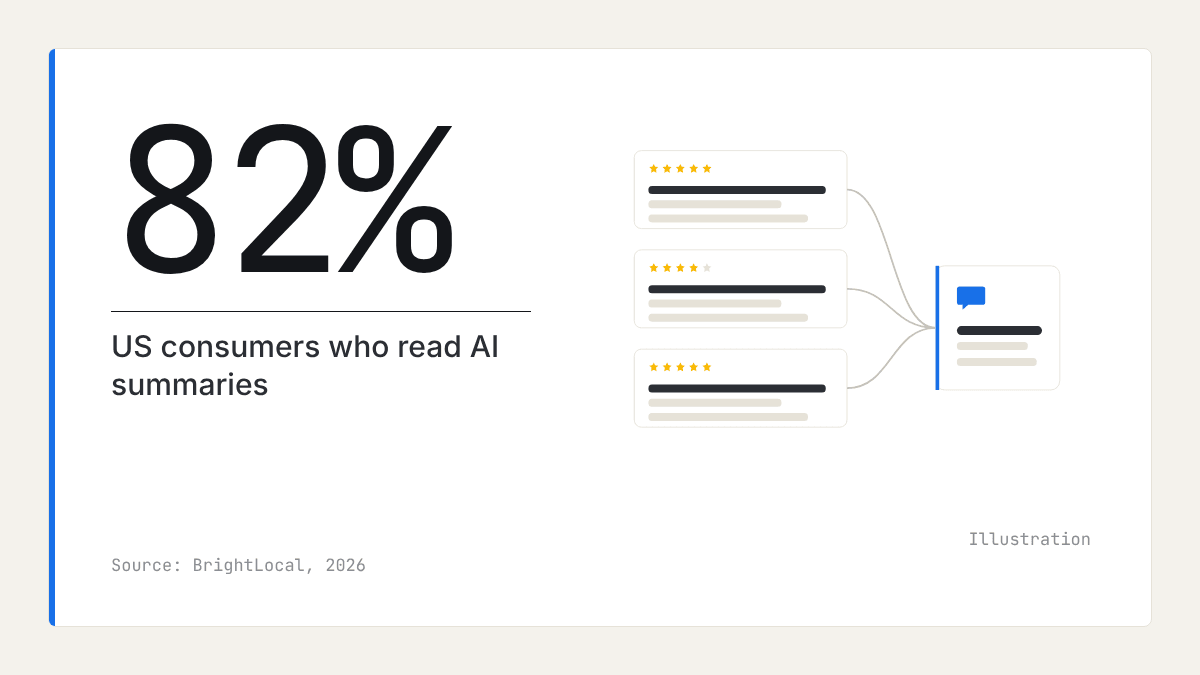
Most of those asked say they do. BrightLocal's Local Consumer Review Survey 2026, a survey of 1,002 US adults, found 82% of consumers read AI-generated review summaries and 23% would decide on the summary alone. That is US data and we have found no UK equivalent, but it suggests the summary is now the first thing many people read about you, before any single review.
Where to move your old Q&A answers
Put each answer in the profile field built for it, then keep a complete copy on your own website. Here is the order we would work in:
- List the questions. Write down every question customers ask by phone, email, and at the counter, plus anything you remember from your old Google Business Profile Q&A.
- Services. Google's help page on managing services says you can tick the suggested services for your category or add a custom one. Custom service names that include prices, phone numbers, or personal information are rejected automatically, and price goes in its own field. Your suggested services depend on your category, so check it first with our guide to choosing Google Business Profile categories.
- Attributes. Answer the factual questions here: accessibility, payment types, parking, and similar. The attributes on offer vary by category.
- Opening hours. Add special hours for bank holidays and closures, so "are you open on Boxing Day?" has a right answer.
- Business description. Cover what the fields cannot, in plain sentences: who you serve, the area you cover, what makes you different.
- A website FAQ page. Publish the full list as plain questions and answers. It is the one place where you control every word, and it serves anyone who clicks through from Maps.
Can you change what your review summary says?
Not directly. There is no field in the Business Profile dashboard to edit or remove the summary, because Google writes it from what reviewers say. If the summary keeps mentioning slow replies or difficult parking, it is reporting a pattern in your reviews.
The lasting fix is in the business, not the profile:
- Fix the cause of any recurring complaint, then let new reviews reflect it.
- Reply to reviews calmly and specifically, particularly the critical ones. Our articles on the blog cover replying and asking for reviews in detail.
- Ask every customer for a review, not only the happy ones you pick.
- Never script reviews or offer incentives for them. It breaks Google's policies, and Google can remove reviews it finds breaking them.
Check what searchers see each month
A summary can change without you noticing, so look at it on a fixed day each month:
- Open your profile in the Google Maps app on a phone and screenshot the review summary and any Ask button, if they show.
- Ask the Gemini app what people say about your business in your town, and screenshot the cards it shows.
- Do the same for your three nearest rivals.
- Note the themes in a sheet, one row per business per month.
For AI Mode place cards, see our guide to showing up in Google AI Overviews. For ChatGPT and the other assistants, see does ChatGPT use Google reviews.
Where reviews fit
With the public Q&A list gone, practical questions are increasingly answered from what reviewers wrote. Take a dental practice in Leeds whose reviewers often mention evening appointments and easy parking: those are the themes a summary is likely to surface, and the details an assistant can repeat when someone asks for a dentist open after work.
That makes your reviews a description of your business that you do not write but can influence, by how you run the business and by asking every customer. To judge whether a theme in your own summary is unusual or common, you need to see the rest of your market. Our market reports set out the recurring praise and complaints across a category and town, alongside each business's rating, review count, and share of positive reviews. They read the reviews themselves, not Google's summaries or Ask Maps, and they contain no search ranking or AI visibility data.
What to do this week
- Screenshot any review summary that shows in Google Maps and the Gemini app, for you and your three nearest rivals.
- Write down the ten questions customers ask most often.
- Check your primary category, then tick every suggested service that applies and add custom services without prices in the name.
- Fill in every attribute that applies to you, and add special hours for the next bank holiday.
- Rewrite your business description to answer what the fields cannot.
- Publish a plain FAQ page on your website with all ten answers.
- Put a monthly reminder in your diary to repeat the screenshots and note any change in the themes.
Frequently asked questions
- Has Google removed Q&A from Business Profiles?
Largely. Google discontinued the Q&A API on 3 November 2025 and said on its Help Forums in December 2025 that Q&A would essentially be removed from Maps in favour of an AI Ask button. Google said published answers may still be shown in Maps, but Whitespark found legacy answers gone from profiles by January 2026.
- What is Ask Maps in Google Maps?
Ask Maps is a Gemini assistant built into the Google Maps app. A user types a question in their own words, such as where to find a quiet cafe with good coffee nearby, and it answers from Google's place information, reviews, and the user's own searched and saved places.
- Is Ask Maps available in the UK?
Check your own Maps app. Google launched it in the US and India on 12 March 2026, and 9to5Google reported a rollout in English to over 150 countries and territories in August 2026, without naming the UK. AI review summaries, which draw on the same reviews, are offered through Google's developer platform in the UK in English.
- Where should I put the answers I had in Q&A?
Put each answer in the profile field that fits it: services for what you offer, attributes for facts such as accessibility, opening hours for when you are open, and the description for the rest. Then publish the full set as a plain FAQ page on your own website, where you control the wording.
- Can I edit or remove the AI summary of my reviews?
No. Google writes the summary from your reviews and the Business Profile dashboard has no field to edit it. The summary changes when the reviews change, so the lasting fix is to deal with the cause of any recurring complaint and to keep asking every customer for a review.

Rate My RatingsNewsletter
What reviews say about local markets, in your inbox.
New articles and findings from the blog, as they're published.
Check your inbox.
If this address isn't subscribed yet, we've sent it a link to confirm. Nothing is sent until you click it.
That didn't go through. Check the email address and try again.
Hold on a moment, then subscribe again.
Rate My RatingsNewsletter
What reviews say about local markets, in your inbox.
New articles and findings from the blog, as they're published.
Check your inbox.
If this address isn't subscribed yet, we've sent it a link to confirm. Nothing is sent until you click it.
That didn't go through. Check the email address and try again.
Hold on a moment, then subscribe again.